

Headcount Approvals for Remote Teams: What Breaks in 2026
Headcount approvals for remote teams in 2026 improve with structured workflows and budget visibility. Learn how to reduce delays and speed up decisions.

Introduction
Headcount approvals for remote teams often look simple on paper but break in execution. If you’re in People Ops, you’ve likely chased approvals across Slack, email, and time zones with no clear owner. The result is delayed hiring and unclear decisions.
The challenge becomes sharper as teams scale. 74% of U.S. companies are using or planning to adopt hybrid work models, which increases reliance on distributed approvals and decision-making. Without clear visibility, approvals slow down or get revisited late.
This is where headcount approvals for remote teams need structure. In this article, you’ll see where approvals break, why delays happen, and how to design workflows that improve speed, clarity, and alignment with budget.
Quick look
- Headcount approvals for remote teams slow down when requests lack structured inputs like role scope, location, and fully loaded cost at submission.
- Delays build in distributed workflows due to sequential approvals, unclear ownership, and lack of defined turnaround timelines across stakeholders.
- Budget visibility gaps force Finance to revalidate requests late, leading to rework or rejection after initial approval stages.
- Structured workflows with standardized inputs, parallel approvals, and real-time tracking reduce approval cycle time and improve consistency.
- CandorIQ centralizes headcount requests, approvals, and budget data, helping teams reduce delays and make faster, aligned hiring decisions.

How Headcount Approvals Breakdown in Remote Teams?
In remote setups, headcount approvals for remote teams break when requests, decisions, and ownership are spread across disconnected tools. There is no single system tracking who approved what, at what stage, and based on which inputs. This creates delays, rework, and inconsistent hiring decisions.
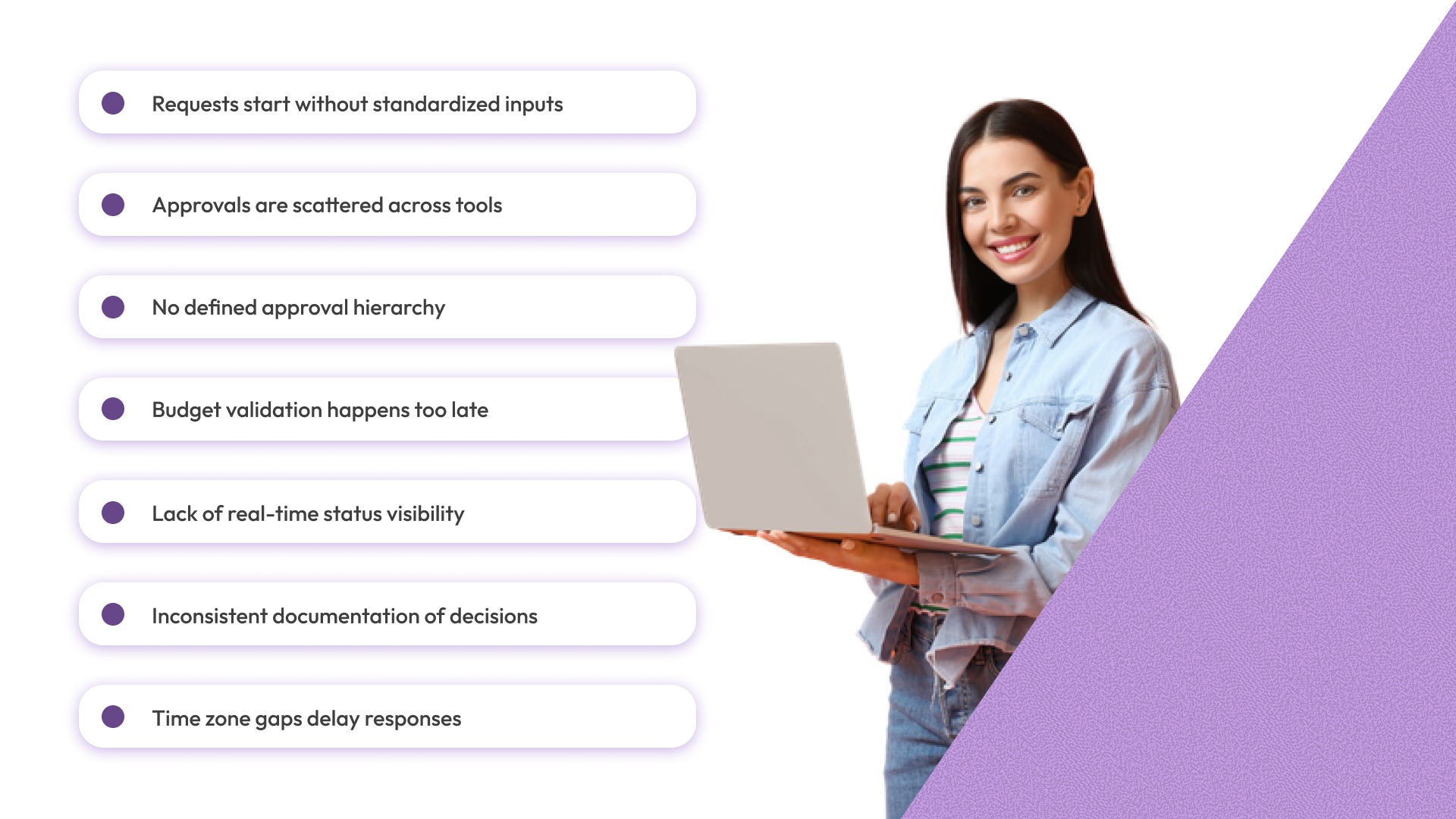
Here’s where these breakdowns typically occur across the headcount approval workflow:
- Requests start without standardized inputs: Hiring managers submit requests without clear compensation ranges, location, or budget impact, forcing multiple back-and-forth cycles before validation.
- Approvals are scattered across tools: Initial discussions happen in Slack, approvals over email, and final tracking in spreadsheets, making it difficult to maintain a single source of truth.
- No defined approval hierarchy: It is unclear whether HR, Finance, or leadership has final authority, leading to parallel approvals or unnecessary escalations.
- Budget validation happens too late: Requests move forward without Finance input, resulting in late-stage rejections when cost constraints are finally reviewed.
- Lack of real-time status visibility: Teams cannot see where a request is stuck, who is responsible, or how long it has been pending, increasing dependency on manual follow-ups.
- Inconsistent documentation of decisions: Approval rationale is rarely recorded, making it difficult to audit past decisions or maintain consistency across similar roles.
- Time zone gaps delay responses: Distributed teams introduce approval lag when stakeholders operate in different regions without defined turnaround timelines.
These breakdowns typically surface as delays in the workflow, which become more visible when approvals start getting stuck between stakeholders.
Where Approval Delays Start in Distributed Workflows
In headcount approvals for remote teams, delays do not begin with decision-making, they start in how the workflow is structured across distributed stakeholders. When approval steps are not designed for async coordination, even well-defined requests slow down as they move forward.
Here’s where delays typically originate:
- Approval sequencing creates unnecessary wait time: Requests move in strict order (manager → HR → Finance → leadership), even when some approvals could happen in parallel, extending total turnaround time.
- Cross-functional dependencies are not synchronized: HR reviews role needs while Finance evaluates cost separately, but there is no shared checkpoint, causing misaligned timelines.
- No predefined turnaround expectations per approver: Approvers review requests based on availability, not urgency, which leads to inconsistent approval timelines across teams.
- Approvals restart when inputs change mid-process: Changes in role scope, location, or compensation require re-validation from earlier stakeholders, resetting the workflow.
- Lack of prioritization across multiple requests: All requests enter the same queue, with no distinction between urgent hires and long-term roles, delaying critical approvals.
- Context gets fragmented across stakeholders: Each approver evaluates only their part (role, cost, team need) without a unified view, slowing down decision-making.
- Final approvals depend on the availability of senior stakeholders: Leadership approvals become bottlenecks when there is no delegation or conditional approval logic in place.
These delays often compound when decisions lack clear cost context, making budget alignment the next major blocker in the approval process.
Why Lack of Budget Visibility Slows Headcount Decisions
In headcount approvals for remote teams, approvals slow down when cost evaluation is not embedded into the request itself. Finance is forced to reconstruct cost context manually, which introduces delays and revalidation loops.
Decisions are not blocked by lack of intent, they are blocked by lack of usable financial inputs at the right stage.
Here’s where budget visibility specifically breaks:
- Requests lack fully loaded cost calculations: Most requests include base salary only, without factoring in benefits, equity, bonuses, and employer taxes, forcing Finance to rebuild total cost before approving.
- Compensation inputs are not normalized across locations: Remote roles span geographies, but approvals do not include geo-adjusted ranges, leading to recalculations when Finance applies location-based cost differences.
- No linkage between role approval and team-level budget caps: Approvers cannot see if the role fits within the team’s allocated headcount budget, requiring separate validation from Finance before moving forward.
- Approved roles are not reconciled against hiring plan variance: There is no visibility into whether the role pushes the team above planned headcount or shifts spent across departments.
- Budget consumption is not tracked at the approval stage: Teams cannot see committed vs remaining budget in real time, which delays approvals while Finance recalculates available capacity.
- Cost assumptions change during the approval cycle: Adjustments in compensation, level, or location require recalculating impact, often restarting Finance validation instead of updating dynamically.
- Scenario comparison is missing during decision-making: Approvers cannot evaluate trade-offs (e.g., hiring one senior vs two mid-level roles), leading to stalled decisions while alternatives are explored offline.
Once cost visibility is embedded directly into the approval process, the next challenge is ensuring the workflow itself follows a consistent and structured path.
What a Structured Headcount Approval Workflow Looks Like
A structured workflow gives headcount approvals for remote teams a clear path from request to final decision. It reduces approval drift, removes avoidable back-and-forth, and helps HR and Finance review the same request with the same context.
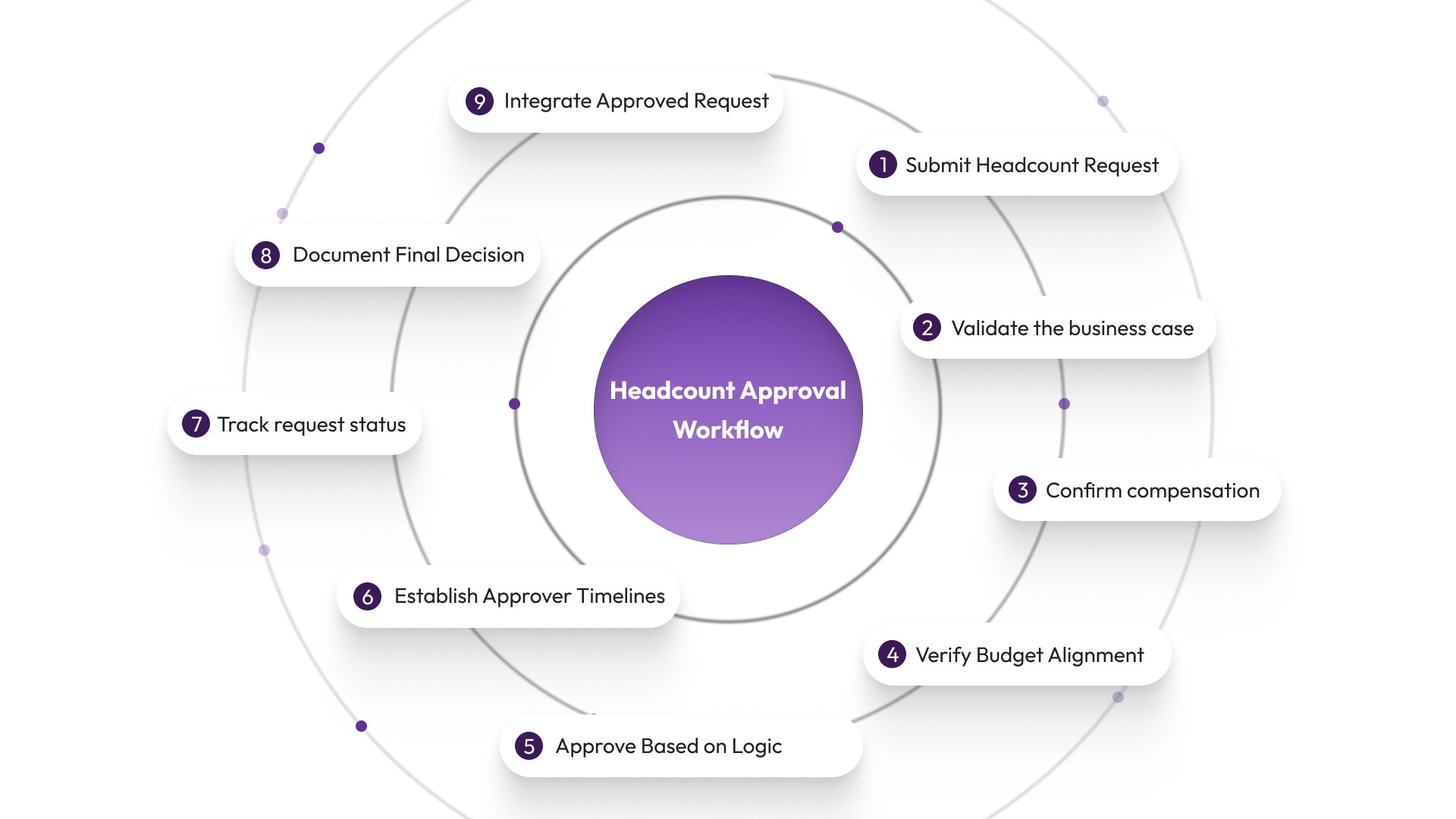
The goal is not just speed. The goal is to make approvals consistent, budget-aware, and easier to track across distributed stakeholders.
A practical workflow usually follows these steps:
Step 1: Submit a standardized headcount request
The request should start in a structured form, not in Slack or email. Every submission should capture the inputs approvers need to review the role properly.
The request should include:
- Role title and level
- Department and reporting manager
- Hiring type: new role, backfill, or replacement
- Work location or hiring geography
- Proposed compensation range
- Expected start date
- Business reason for the hire
This prevents the request from entering the workflow with missing details.
Step 2: Validate the business case
Before approvals begin, the hiring need should be checked for business relevance. This keeps the workflow from filling with poorly framed or premature requests.
The validation should clarify:
- What workload gap does the role address
- Whether the need is urgent, planned, or exploratory
- Whether the role supports an approved team goal
- Whether a backfill is replacing an existing seat or adding net-new cost
At this stage, vague requests like “team needs support” should not move forward.
Step 3: Confirm compensation and cost inputs
The request should then be checked against the compensation structure before Finance reviews it. This avoids delays caused by inconsistent salary assumptions.
The compensation review should confirm:
- Whether the proposed pay range fits the approved pay band
- Whether location-based adjustments are needed
- Whether level and compensation are aligned
- Whether bonus, equity, and benefits are factored into total cost
For remote roles, this step is critical because location-based cost differences can materially change approval decisions.
Step 4: Check budget fit against the hiring plan
Once role and compensation inputs are validated, Finance should review the request against actual budget capacity. This should happen before the request reaches final approvers.
The budget check should answer:
- Does this role fit within the team’s approved hiring budget
- Is the role already accounted for in the workforce plan
- Does the request increase headcount beyond plan
- What is the fully loaded cost impact for this quarter or year
This keeps late-stage rejections from happening after the role has already been informally approved.
Step 5: Route approvals based on clear logic
The workflow should not send every request through the same chain. Approval routing should change based on cost, role level, and department.
Examples of routing logic:
- Standard roles within budget go to manager + HR + Finance
- Senior or high-cost roles require executive approval
- Replacement roles may need fewer approvals than net-new headcount
- Geo-expansion roles may trigger extra review for compensation or budget impact
This keeps simple approvals from getting stuck in heavyweight review chains.
Step 6: Set turnaround timelines for each approver
A workflow is only useful if each stage has a response expectation. Without timelines, approvals sit in queues with no accountability.
Each approval stage should define:
- Who owns the step
- How long do they have to respond
- What happens if they do not act
- Who becomes the escalation point
This is especially important in remote teams where stakeholders work across time zones and approval lag builds quickly.
Step 7: Track request status in real time
Once the request is moving, all stakeholders should be able to see its status without asking for updates manually.
Tracking should show:
- Current stage of approval
- Current owner
- Pending inputs
- Elapsed time in stage
- Approval history and changes made
This removes the need for People Ops to act as the manual coordinator for every request.
Step 8: Record the final decision with context
The workflow should end with more than just “approved” or “rejected.” The final outcome should be documented with the reasoning behind it.
The record should capture:
- Final decision
- Approved compensation range
- Budget assumptions used
- Start date or hiring window
- Rationale for rejection or deferral, if applicable
This creates a usable audit trail and helps teams stay consistent when similar requests come up later.
Step 9: Sync the approved request into downstream workflows
Once approved, the request should move into execution without manual re-entry of data. This reduces errors and keeps the hiring process moving.
This usually means syncing into:
- Recruiting workflows
- Workforce plans
- Budget tracking systems
- Compensation records
Without this step, approved requests often create another round of administrative work.
When headcount approvals for remote teams run through disconnected tools and unclear workflows, delays and rework become part of the process.
CandorIQ helps structure these workflows by connecting requests, approvals, and budget visibility in one system, so teams can move from scattered decisions to faster, aligned approvals.
The next step is making sure HR and Finance stay aligned throughout that workflow, because structure alone does not fix cross-functional misalignment.
Also Read: How to Automate Headcount Scenario Planning in 2026
How to Align HR and Finance During Headcount Approvals
In headcount approvals for remote teams, alignment breaks when HR and Finance are brought in at different stages with different expectations. HR focuses on hiring urgency, while Finance evaluates cost impact later, creating friction and rework.
Alignment improves when both teams operate on the same timeline and inputs. Here’s how to make that happen in practice:
1. Lock hiring priorities before approvals begin
Do not start approvals without a shared view of what roles actually matter.
What to do:
- Define priority roles for the quarter (must-hire vs optional)
- Map each role to a team-level budget allocation
- Agree on which roles can move fast vs require scrutiny
This prevents Finance from questioning intent mid-approval.
2. Make cost visible at the request stage
Finance delays approvals when cost needs to be reconstructed manually.
What to do:
- Include fully loaded cost (salary + benefits + variable) in every request
- Apply location-based compensation before submission
- Show annual and quarterly cost impact upfront
This removes the need for Finance to re-evaluate basic inputs.
3. Replace sequential approvals with shared review points
Most workflows slow down because HR and Finance review separately.
What to do:
- Combine HR + Finance review for budget-critical roles
- Use parallel validation where possible
- Avoid passing requests back and forth for re-approval
This cuts down multiple approval loops.
4. Define approval rules based on cost and role type
Not every request should go through the same approval chain.
What to do:
- Set thresholds (e.g., roles above X cost need CFO approval)
- Create lighter workflows for backfills vs new headcount
- Route approvals automatically based on role attributes
This prevents simple roles from getting stuck in complex workflows.
5. Track approvals against budget in real time
Approvals slow down when Finance needs to manually check budget capacity.
What to do:
- Show committed vs remaining budget at approval stage
- Track impact of each approved role on team-level budget
- Flag when approvals exceed planned headcount
This reduces late-stage rejection risk.
6. Align on decision criteria, not just data
Even with the same data, approvals stall if teams use different decision logic.
What to do:
- Define what qualifies as an “approved hire” (urgency, ROI, replacement vs growth)
- Agree on acceptable budget variance
- Standardize how trade-offs are evaluated
This ensures consistency across approvals.
7. Remove dependency on manual coordination
Alignment should not depend on follow-ups or reminders.
What to do:
- Use workflows where approvals move automatically
- Ensure both teams see the same request status
- Reduce reliance on Slack/email updates
This keeps approvals moving without constant intervention.
Even with alignment in place, certain recurring mistakes continue to slow down headcount approvals for remote teams, which is what we’ll break down next.
Mistakes That Slow Down Headcount Approvals in Remote Teams
Even when workflows exist, headcount approvals for remote teams slow down due to repeatable execution mistakes. These are not structural issues alone. They come from how requests are submitted, reviewed, and tracked across distributed stakeholders.
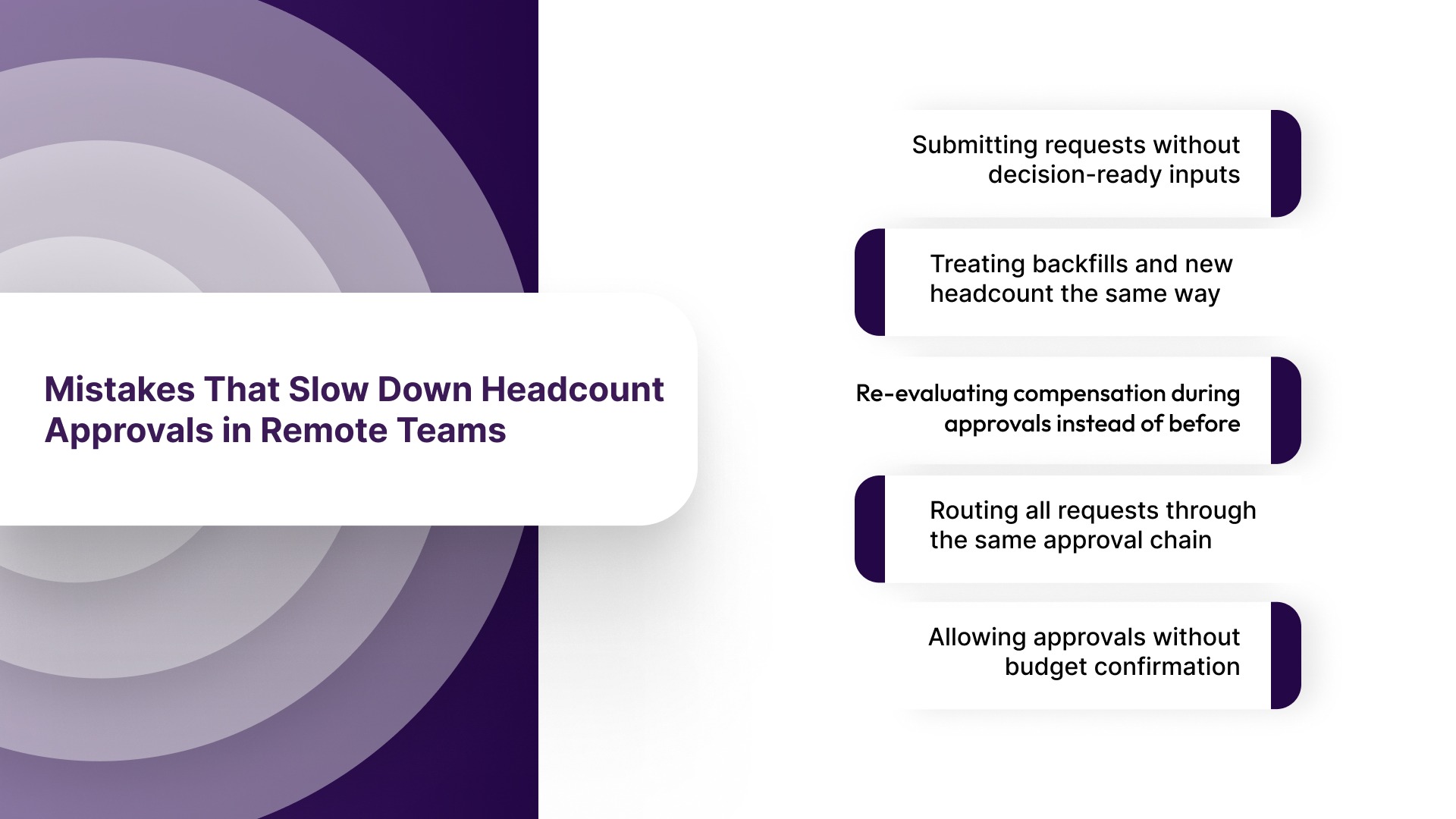
Here are the most common mistakes that create delays:
- Submitting requests without decision-ready inputs: Requests move forward with missing details like final role level, compensation range, or hiring timeline, forcing approvers to pause and ask for clarification.
- Treating backfills and new headcount the same way: Replacement roles go through the same approval depth as net-new hires, increasing unnecessary review time for roles that should move faster.
- Re-evaluating compensation during approvals instead of before: Compensation discussions happen mid-workflow, leading to repeated approvals when salary range or level changes.
- Routing all requests through the same approval chain: Low-cost or standard roles get stuck in the same path as high-impact hires, increasing queue time without adding value.
- Allowing approvals without budget confirmation: Requests get informal approval from HR or hiring managers, only to be blocked later when Finance reviews cost impact.
Fixing these mistakes reduces unnecessary delays, but improving approval speed at scale requires moving from manual coordination to structured and automated workflows.
Also Read: 7 Essential Metrics for Your Headcount Analytics Dashboard
How Automated Headcount Workflows Improve Approval Speed
In headcount approvals for remote teams, delays often come from manual coordination rather than decision complexity. Approvals depend on follow-ups, context-sharing, and re-validation across tools. Automation removes this dependency by structuring how requests move, what inputs are required, and who acts next.
Here’s how automation improves approval speed in practice:
- Auto-routing requests based on role and cost: Requests are automatically sent to the right approvers based on predefined rules such as department, compensation range, or role level, removing manual assignment delays.
- Trigger-based approvals instead of manual follow-ups: Each stage moves forward automatically once required inputs are complete, eliminating dependency on reminders or coordination across time zones.
- Real-time status tracking for all stakeholders: HR, Finance, and hiring managers can see requested progress, pending actions, and approval timelines without needing updates, reducing communication overhead.
- Integrated budget validation within the workflow: Cost checks happen as part of the approval process, not as a separate step, allowing Finance to validate requests without reprocessing data.
- Parallel approvals to reduce total cycle time: Where dependencies allow, multiple stakeholders can review simultaneously instead of waiting for sequential approvals.
- Automatic escalation for delayed approvals: If an approval exceeds its expected timeline, the system can notify or reassign the request, preventing it from getting stuck.
- Centralized audit trail of all decisions: Every action, change, and approval is recorded in one place, ensuring consistency and reducing the need to revisit past decisions.
To implement these improvements consistently, teams need a system that connects requests, approvals, and workforce data into one structured workflow.
How CandorIQ Helps Structure Headcount Approvals Across Remote Teams
CandorIQ is a workforce planning and compensation platform built for HR and Finance teams to manage headcount, pay structures, and approvals in one system. It replaces spreadsheets and disconnected workflows with structured processes and shared visibility. This helps teams make faster, budget-aligned decisions across distributed environments.
What CandorIQ offers:
- Headcount Requests & Approvals: Standardizes request inputs with role, cost, and rationale, and routes approvals based on predefined rules and thresholds.
- Headcount Scenario Planning: Models hiring impact on budgets and workforce plans, allowing teams to evaluate decisions before approvals move forward.
- Workforce Management: Tracks planned vs approved headcount, giving real-time visibility into hiring progress and budget utilization.
- Compensation & Payband Builder: Defines structured pay ranges by role, level, and location, ensuring consistency in compensation decisions during approvals.
- Compensation Cycle Management: Aligns salary reviews, bonuses, and raises with workforce plans, reducing misalignment between hiring and compensation.
- AI Agent: Analyzes workforce data and approval patterns to surface insights, helping teams identify bottlenecks and gaps in workflows.
CandorIQ brings headcount approvals for remote teams into a single workflow where requests, budgets, and approvals are aligned. This reduces delays, improves visibility, and helps teams make more consistent hiring decisions.
Wrapping Up
Headcount approvals for remote teams slow down when workflows lack structure, ownership, and budget visibility. Delays build early and lead to rework, inconsistent decisions, and missed hiring timelines.
CandorIQ brings headcount requests, approvals, and budget visibility into one system, helping HR and Finance stay aligned. This reduces delays, improves decision clarity, and keeps hiring plans on track.
Get faster, budget-aligned headcount approvals without manual follow-ups or rework. Book a demo.

FAQs
1. Who typically approves headcount in a company?
Headcount approvals usually involve hiring managers, People Ops, and Finance, with final approval depending on cost and role level. Senior or high-impact roles may also require executive sign-off. The structure varies based on company size and budget controls.
2. What additional factors should be considered for remote team approvals?
Remote roles require clarity on location-based compensation, time zone coverage, and reporting structure. Approvals should also factor in geo-based cost differences and team distribution. Missing these inputs can delay decisions later in the workflow.
3. How does headcount forecasting influence approvals?
Forecasting sets the baseline for how many roles a team can hire within a given budget. Approvals become faster when requests align with pre-approved hiring plans. Misalignment between forecasts and requests often leads to delays or rejections.
4. How are headcount and hiring decisions connected?
Headcount approval defines whether a role can be opened, while hiring decisions focus on selecting candidates. Without an approved headcount, hiring cannot move forward. This separation helps maintain budget control and hiring discipline.
5. What is headcount movement reporting, and why does it matter?
Headcount movement reporting tracks changes such as hires, exits, and internal transfers over time. It helps teams understand workforce trends and compare actual changes against planned headcount. This visibility supports better future approval decisions.
Ready to modernize your workforce and compensation strategy?
See how CandorIQ brings workforce planning and compensation together with AI.