

How to Automate Headcount Scenario Planning in 2026
Manual headcount planning breaks under pressure. Learn how headcount scenario automation helps Finance and HR plan, model, and adapt faster.


In 2025, workforce planning is shifting toward predictive, data-driven models, yet only 32% of organizations use advanced forecasting. At the same time, economic uncertainty is reshaping hiring, with 1 in 5 U.S. employers planning to slow down.
This creates a critical gap. Most organizations already have access to headcount data, budgets, and hiring plans, but they still struggle to answer a simple question: What happens if we change the plan?
Without that capability, companies react to change instead of planning for it, leading to misaligned hiring, budget overruns, and missed growth opportunities. This is where headcount scenario automation becomes critical.
In this blog, we’ll explore how headcount scenario automation works, why traditional planning approaches fall short, and how modern teams are using it to make faster, more aligned workforce decisions.
Key Takeaways
- Headcount scenario automation replaces static planning with dynamic decision-making. Teams can model multiple hiring scenarios in real time instead of relying on a single, quickly outdated plan.
- Manual headcount planning breaks at scale due to version conflicts, slow approvals, lack of “what-if” visibility, and no single source of truth across Finance and HR.
- Scenario-based planning is the only approach built for change, allowing leaders to compare hiring, budget, and org structure decisions before committing.
- Automation improves speed, accuracy, and alignment by connecting workforce plans, financial models, and approval workflows in one system.
- Platforms like CandorIQ operationalize this end-to-end, enabling real-time scenario modeling, seamless Finance-HR collaboration, and faster, more confident workforce decisions.
.png)
What Is Headcount Scenario Automation?
Headcount scenario automation uses software to dynamically model, compare, and update multiple workforce plans in real time, replacing static, spreadsheet-based planning.
Instead of relying on a single plan that quickly becomes outdated, teams can run parallel scenarios based on changing business conditions. Automation is predictive and decision-driven.
Headcount scenario automation brings together three elements that are typically siloed:
- Workforce plan (who you plan to hire)
- Financial budget (what you can afford)
- Approval workflows (how decisions get finalized)
This creates a connected planning environment, where decisions are aligned before they’re executed. To understand why this shift is critical, let’s look at the four common ways companies approach headcount planning and where they fall short.
The Four Approaches to Headcount Planning
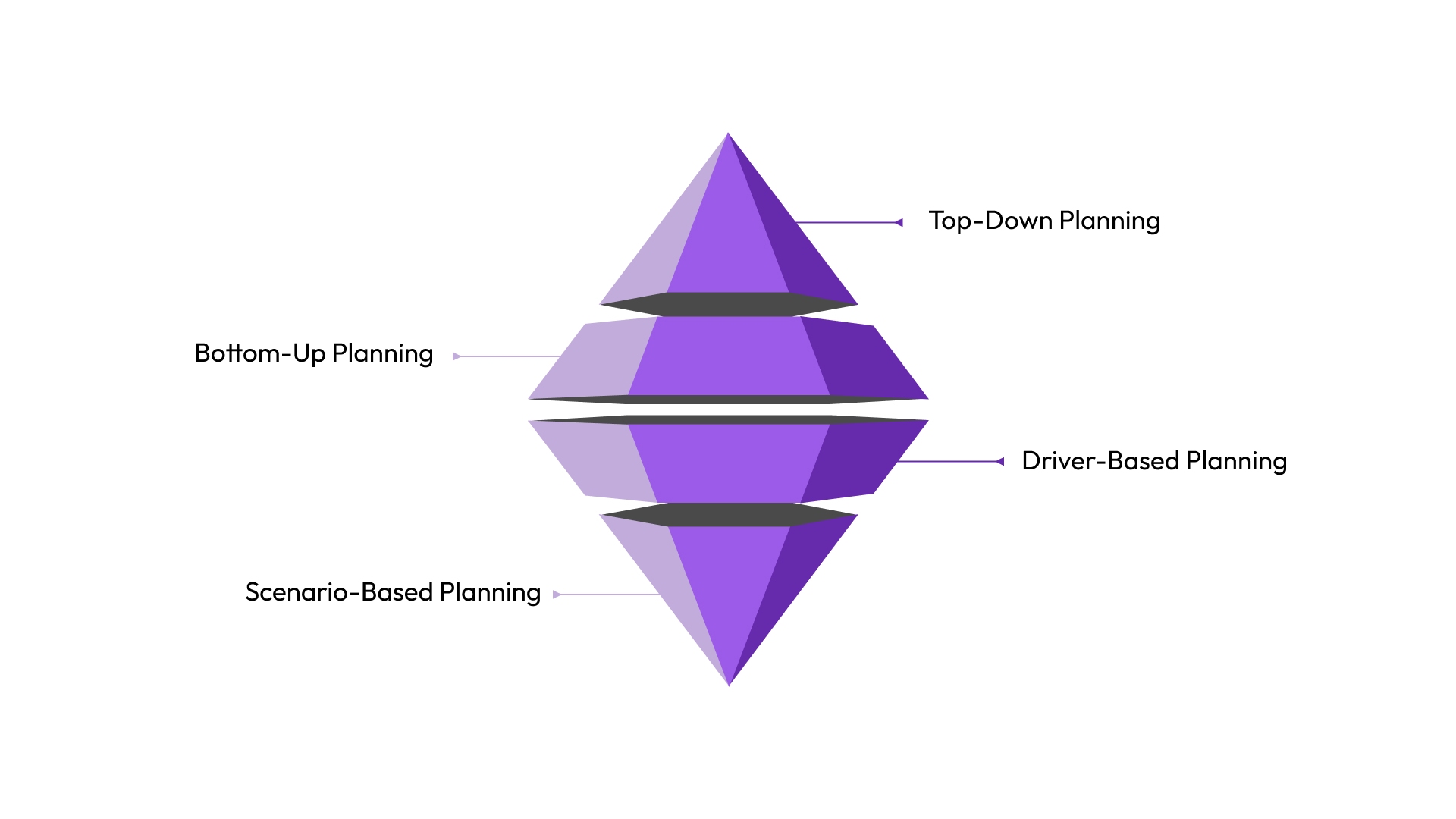
Not all headcount planning is created equal. Most companies use one of four approaches, but only one is built for the dynamic, fast-moving environments that growing companies actually operate in.
1. Top-Down Planning
Leadership sets a total headcount budget, and departments allocate within it. It's fast to initiate and simple to communicate, which is why most companies start here. The problem is that it treats headcount as a number, not a strategy.
When the business grows unevenly across functions or markets, top-down allocations almost immediately become misaligned with operational reality. Finance controls the ceiling, but HR has no lever to show leadership why that ceiling is wrong for a given team.
2.Bottom-Up Planning
Department heads build their own headcount requests and submit them upward. The advantage is specificity. Each request comes with a rationale attached. The disadvantage is consolidation chaos.
By the time every department's wishlist lands in Finance, reconciliation can take weeks. Version conflicts compound. Also, leadership is making decisions from a plan that was already out of date before it was finalized.
3. Driver-Based Planning
Headcount is tied to business metrics like revenue per head, support tickets per agent, and ARR targets per AE. This approach is analytically rigorous and aligns hiring with performance, but it's only as good as the assumptions baked into the model.
When those assumptions shift (and they always do), driver-based plans require manual rework. They're excellent for steady-state forecasting. They struggle with structural disruptions like reorgs, acquisitions, or sudden pivots.
4. Scenario-Based Planning (The Automation-Ready Approach)
Scenario-based planning doesn't replace the other three. In a scenario model, you run multiple versions of the plan simultaneously: baseline growth, accelerated hiring, hiring freeze, reorg.
Each scenario carries its own financial implications, headcount impact, and timeline. Leadership can toggle between them, understand the trade-offs, and make decisions with full context.
This is the only approach that is inherently dynamic rather than point-in-time. And dynamic is exactly what automation requires to function.
Automation can model conditional triggers, route approvals, compare actuals to scenarios, and surface variance, but only if the underlying planning structure supports multiple, parallel futures.
The problem is that most companies never upgrade from spreadsheet-based versions of these approaches to anything more sophisticated. Here's exactly how that costs.
How Manual Headcount Planning Fails Growing Companies
Manual planning doesn't fail all at once. It fails incrementally. Here’s how:
1. The Plan That Breaks the Moment Leadership Changes Their Mind
In many companies, headcount plans change frequently as priorities shift. A hiring plan gets created, then revised when budgets tighten or goals change. But each update is handled separately, often in different spreadsheets, by different people.
This leads to multiple versions of the same plan, confusion over which one is correct, and no clear record of what changed or why.
The issue is the lack of a system. Without version control or a single source of truth, every update creates more misalignment. Manual planning simply can’t keep up with how quickly business strategy evolves.
2. Finance and HR Operating from Different Numbers
In most mid-size companies, finance is tracking against budget approvals. HR is tracking against actual reqs in the ATS. This isn't a communication problem. It's an integration problem. Headcount planning, hiring data, and compensation live in separate tools, with no shared source of truth. As a result, teams spend more time reconciling numbers than actually
3. The Cost of Slow Approvals
Headcount approvals often take too long. While decisions move through layers of review, hiring slows down, recruiters lose momentum, and strong candidates drop off.
This delay isn’t just operational. It has a direct business impact. Every unapproved role pushes back productivity, revenue contribution, and team output.
For functions like sales or customer Success, the cost is measurable. Slow approvals don’t just delay hiring. They weaken growth.
4. No Visibility Into "What If"
Teams often need to evaluate different hiring and budget scenarios. But in manual planning environments, every change requires rebuilding the model from scratch.
This takes time, sometimes hours or days, and by the time the analysis is ready, priorities may have already shifted.
As a result, leaders don’t get timely “what-if” insights. Decisions rely more on assumptions than on real, up-to-date data.
5. No Audit Trail Means No Accountability
When headcount decisions are managed in spreadsheets, changes aren’t properly tracked. There’s no clear visibility into who made updates, when they were made, or why they happened.
This creates gaps across operations, finance, and compliance. Teams struggle to trace approvals, explain budget variances, or ensure decisions align with internal policies.
As companies scale, expectations around workforce governance increase. Without a structured system, headcount planning becomes not just inefficient, but a growing risk.
Every one of these failure modes has a direct fix in how modern headcount scenario automation is architected. Here's what that looks like when it's actually working inside an organization.
7 Ways You Can Automate Your Headcount Scenario Planning
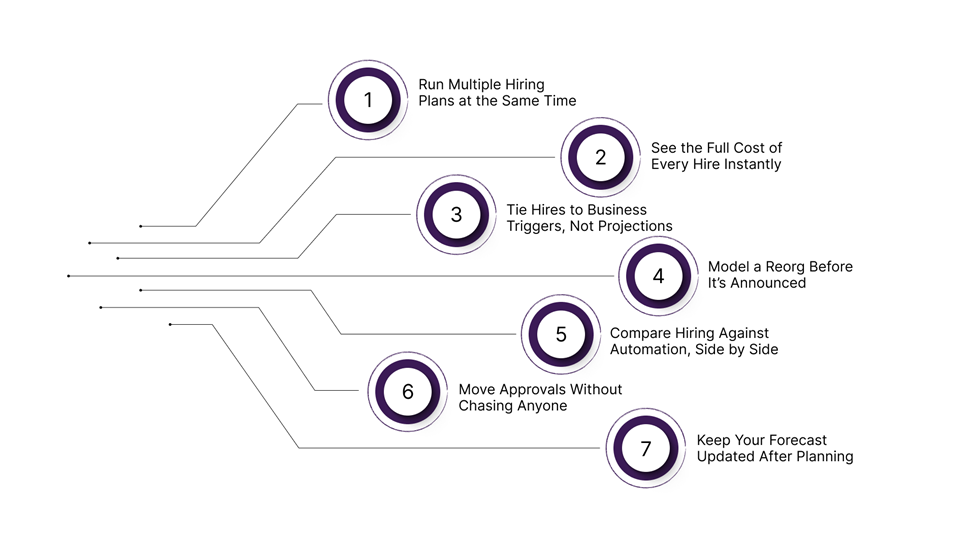
Knowing why manual planning fails is one thing. Knowing what to do instead is where it gets useful. Here's how automation actually works in practice.
1. Run Multiple Hiring Plans at the Same Time
Most teams build one plan, finish it, then start the next. By the time you compare Plan A and Plan C, they were built on different assumptions from different weeks.
Automated planning lets you run all three plans on the same live data. Leadership compares them in one meeting. No one asks Finance for "the latest version" because there's only one version.
The real value isn't the plan you pick. It's how fast you can test the ones you didn't.
2. See the Full Cost of Every Hire Instantly
Adding five engineers in Q3, what does that do to your budget by December? In most companies, answering that takes three days of manual work.
Automated planning calculates the fully loaded cost the moment a role enters a scenario. Base salary, bonus, benefits, taxes, equity, all of it, instantly. When Finance adjusts a start date, the budget updates itself.
Leadership gets a real answer in the room. Not a follow-up email two days later.
3. Tie Hires to Business Triggers, Not Projections
Fast-growing companies often approve headcount against revenue targets that are months away from being real. When growth slows, they've already over-committed on comp.
Automated planning lets you build conditional roles, hires that only unlock when a specific trigger fires. A revenue milestone. A funding close. A retention target. Until that trigger hits, the role sits in the plan as intent, not spend.
4. Model a Reorganization Before Anyone Finds Out About It
Most reorgs get planned in PowerPoint or a whiteboard session. Neither tells you what the restructure costs, or what happens to reporting lines three levels down.
With automated planning, you model the full change, move teams, merge departments, shift hierarchies, and see the financial impact before any conversation happens with employees.
5. Compare Hiring Against Automation, Side by Side
The question isn't just "how many people do we need?" anymore. It's "which of these roles actually needs a human?"
Automated planning lets you put both options in the same model. Total cost of a new hire on one side. Cost of an AI tool with a validated productivity estimate on the other. The best outcome here is a productivity model grounded in real benchmarks.
Companies defaulting to headcount without running this comparison are spending money they don't need to.
6. Move Approvals Without Chasing Anyone
A role gets approved on paper. Then it sits in someone's inbox for two weeks. That's not a people problem. That's a process problem.
Automated routing moves approvals based on set rules, team, location, comp level, and seniority. If something stalls, it escalates automatically. When the final approval lands, the role syncs to the ATS and Finance system directly.
No duplicate entry. No follow-up messages. Approved means in motion.
7. Keep Your Forecast Current After the Plan Is Set
A headcount plan built in January is usually wrong by March. People join late, roles change, someone leaves, and the "official" plan no longer reflects reality.
Automated planning updates continuously. A hire joins, headcount adjusts. A role gets cancelled, and the budget recalculates. Every active scenario reflects the change immediately.
Also Read: A Comprehensive Guide to AI for HR Automation and Solutions
Modeling the right scenarios is only valuable if you're measuring the right things. Here's how to build a metrics framework that tells you whether your headcount planning process is actually working.
Key Metrics Headcount Scenario Automation Should Track
Most companies track headcount metrics reactively. A well-designed automation platform like CandorIQ surfaces these signals in real time, so you can course-correct before the plan breaks. Here are the metrics that matter most:
Two metrics on this list deserve special attention because they're rarely tracked but disproportionately valuable:
- Scenario Utilization Rate tells you whether your planning process is actually dynamic, or whether teams are just running one scenario and ignoring the rest. Low utilization is a leading indicator of planning complacency.
- Requisition Aging Rate is a direct window into approval workflow health. When reqs age without movement, it means something structural is broken in the process, and no amount of recruiter hustle will fix it.
Measuring these metrics is how you prove headcount automation is working. But it only materializes if you choose the right platform to build on. Here's the framework for evaluating what separates the tools that deliver from the ones that just add another dashboard to your stack.
What to Look for in a Headcount Scenario Automation Platform
The market for workforce planning software has expanded significantly, which means more options and more noise. The right platform isn't the one with the longest feature list. It's the one that integrates tightly enough into your existing workflows that teams actually use it.
Here's the evaluation framework:
When evaluating, don't just ask whether a platform has AI. Ask whether it can answer natural language questions about your own workforce data, and whether it generates recommendations with enough context to be actionable rather than generic.
CandorIQ was purpose-built to answer every one of those questions. Here's how it powers headcount scenario automation in practice.
Also Read: A Practical Guide to Headcount Forecasting for High-Growth Teams
How CandorIQ Powers Headcount Scenario Automation
For most Finance and HR teams, headcount planning is still a fragmented exercise. The result is a process where no one has the full picture, decisions get made on partial information, and the plan is always a few pivots behind reality.
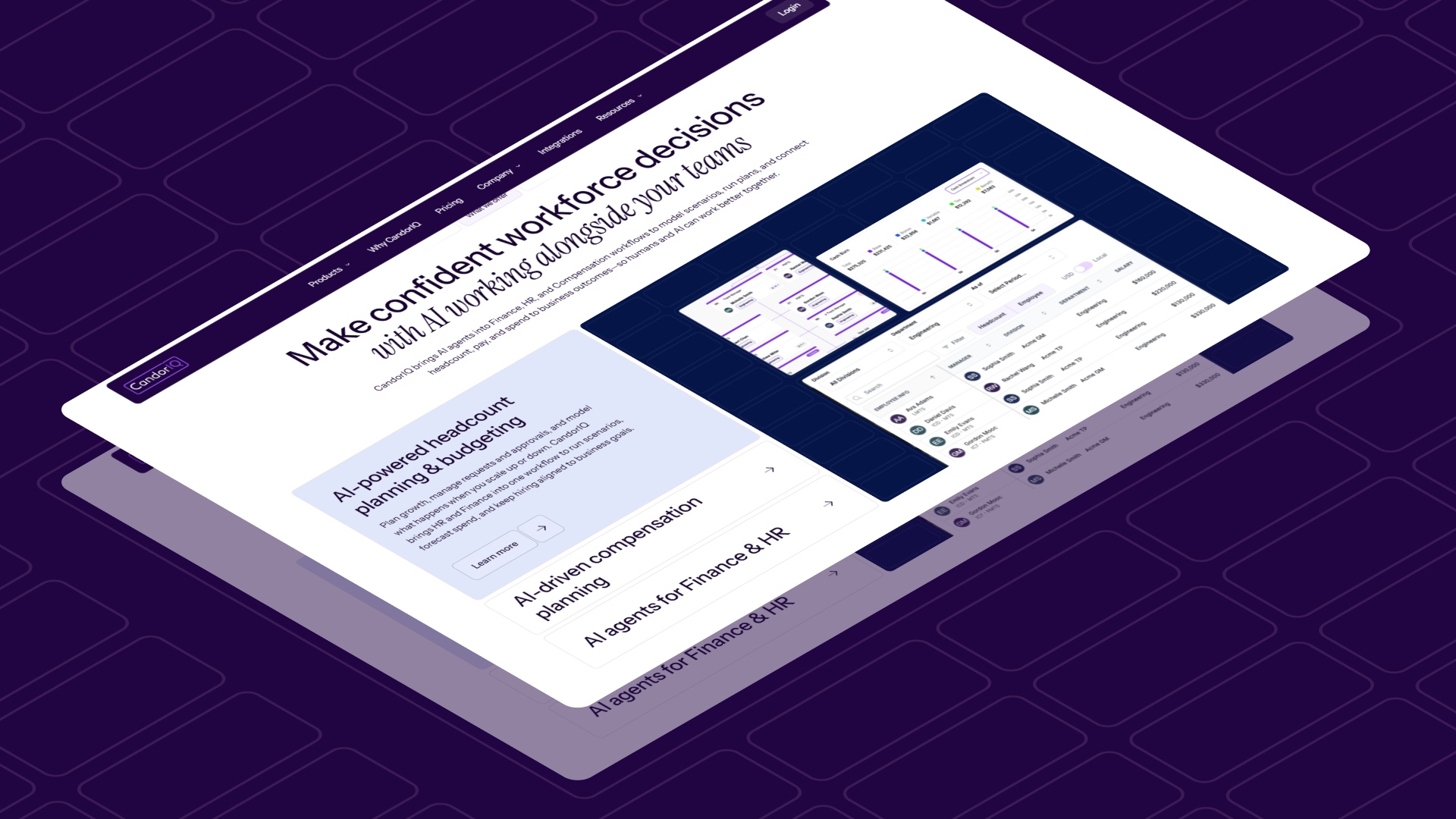
CandorIQ was built to eliminate that fragmentation. It gives Finance and People Ops a single, live planning environment where headcount scenarios, financial models, org structures, and approval workflows all operate from the same data, updated in real time, accessible to every stakeholder who needs it.
- Headcount Scenario Planning: Model future org charts and compare multiple hiring scenarios against real-time budget thresholds. Toggle between growth, freeze, and reorg scenarios and see financial implications instantly, before any decision is finalized.
- Headcount Requests & Approvals: Create new hire requests with embedded job details, rationale, and compensation data. Route approvals dynamically based on team, location, or budget impact, and sync directly with your ATS and finance systems.
- Workforce Management: Track open roles, attrition, filled seats, and actuals vs. plan in one view. Build custom dashboards for Finance, HR, and executive teams, and eliminate the misalignment that comes from each function pulling from a different source of truth.
- AI Agent: Ask natural language questions about your workforce data, model the impact of scenarios, and receive compensation recommendations grounded in historical benchmarks and peer data. The kind of analysis that used to take a People analyst days now happens in minutes.
- Compensation & Payband Integration: Headcount planning and compensation management live in the same platform. When a scenario adds new pay bands, the comp impact is already modeled by level, location, and market benchmark.
- Real-Time Finance-HR Collaboration: Comments, rationale logging, alerts, and approval tracking are built into the workflow. Finance and HR are always working from the same numbers, in the same system, with a complete audit trail.
For companies navigating growth, uncertainty, or rapid structural change, the question is no longer whether to automate headcount planning — it's how fast you can get there.
Conclusion
The four failure modes of manual planning, plan fragility, Finance-HR misalignment, slow approvals, and zero "what if" capability, aren't going to fix themselves with better communication or more discipline.
They require a structural solution: a platform that connects workforce planning, financial modeling, and approval workflows in a single live environment. Headcount planning automation helps to combine your HR and finance data simultaneously.
If your headcount planning process still depends on spreadsheets and email threads, this is the right moment to change that. See how CandorIQ handles your headcount scenarios. Book a demo now.

FAQs
How is headcount scenario planning different from headcount tracking?
Headcount tracking tells you where your workforce stands today — roles filled, roles open, attrition rates. Headcount scenario planning uses that data as a baseline to model where your workforce could be under multiple possible futures. Tracking is descriptive; scenario planning is predictive. Automation connects the two, so your scenarios are always grounded in live actuals rather than stale snapshots.
What tools are used for headcount scenario automation?
Companies typically start with spreadsheets (Excel or Google Sheets), but these break under the complexity and collaboration requirements of growing organizations. Dedicated platforms like CandorIQ offer integrated headcount planning, scenario modeling, approval workflows, and financial impact tracking in a single environment — removing the need to stitch together multiple disconnected tools.
Can headcount scenario automation integrate with our ATS or HRIS?
Yes — integration capability is one of the most important criteria when evaluating platforms. A well-integrated system pulls actuals directly from your HRIS (so plans are always updated against real headcount), and syncs approved reqs into your ATS (so recruiters can source immediately after approval).
How do Finance and HR collaborate in headcount scenario planning?
Effective collaboration requires a shared system of record, not just shared documents. In a well-designed platform, Finance owns the budget model and financial thresholds, while HR owns the workforce structure and req details, and both teams work from the same underlying data. Real-time collaboration features (comments, approval routing, alert notifications) eliminate the back-and-forth that typically slows joint planning down.
What's the ROI of automating headcount planning?
ROI comes from multiple directions: reduced planning cycle time (weeks to days), lower headcount variance (which reclaims misallocated budget), faster hiring velocity (which reduces lost productivity from open roles), and compliance risk mitigation (which avoids costly audit and governance failures). The most significant return is strategic. Leadership makes better decisions faster, with more confidence, when the data is live and the scenarios are already built.
What metrics should headcount scenario automation track?
The core metrics are time-to-fill, attrition rate, burn per hire, actuals vs. plan variance, and scenario accuracy. Two undertracked but highly valuable metrics are req aging rate (which surfaces bottlenecks in approval workflows) and scenario utilization rate (which tells you whether your planning process is actually dynamic or whether alternate scenarios are being built and ignored).
What are the most common headcount scenario types?
The four most strategically important scenarios are: conditional hiring (tied to revenue or fundraising milestones), headcount freeze modeling (impact of pausing specific departments), reorg impact modeling (structural and financial implications of reporting changes), and AI vs. headcount trade-off analysis (where AI tooling can replace or delay hiring). Companies that regularly model all four are significantly better positioned to make fast, confident workforce decisions.
Ready to modernize your workforce and compensation strategy?
See how CandorIQ brings workforce planning and compensation together with AI.