

10 Best Payroll Software for Small Businesses 2026
Discover the top 10 payroll software solutions for 2026. Compare features, pricing, and capabilities to find the perfect fit for your growing business.


If you're a Chief People Officer, CFO, or People Ops leader at a growing company, payroll errors aren't just administrative headaches. They're compliance risks, budget overruns, and trust breakers with your team.
According to a 2025 survey by Ernst & Young of 1,000 HR and finance professionals, one in three employers has been penalized for noncompliance in the last year. For scaling companies, these mistakes compound quickly.
The real challenge isn't just processing paychecks. It's connecting payroll to compensation planning, headcount forecasting, and budget governance without drowning in spreadsheets.
This guide evaluates the top 10 payroll software solutions for 2026, helping you find a platform that handles today's needs while supporting tomorrow's growth.
Key Takeaways
- Top payroll software for 2026 combines automated tax compliance, real-time processing, and multi-state support. Leading options include Gusto ($49/month), QuickBooks Payroll ($45/month), and ADP Run for enterprise reliability.
- Companies with 50+ employees need more than payroll, requiring integrated compensation planning, headcount forecasting, and budget controls.
- Payroll pricing averages $35–$80/month base + $5–$12 per employee, but hidden costs can raise total spend by 30%.
- CandorIQ fills the gap by replacing spreadsheets with real-time compensation management, offer validation, and workforce planning.
- Compliance is critical, with 1 in 3 employers penalized in 2025, automated tax filing and built-in guardrails are must-haves.
.png)
What to Look for in Payroll Software for Small Businesses
Payroll software automates the calculation, distribution, and reporting of employee compensation. But for growing companies, it needs to do more than process paychecks. It must integrate with your existing systems, scale with your team, and support strategic workforce decisions.

Here's what to prioritize:
- Automated Tax Compliance: Automatic calculation and filing of federal, state, and local taxes, including quarterly and year-end reporting. This feature alone can save your team dozens of hours per year while reducing audit risks.
- Real-Time Processing: Instant payroll calculations that reflect the latest employee data, including time tracking, benefits, and deductions. Real-time processing prevents the reconciliation nightmares that plague end-of-month workflows.
- Employee Self-Service: Portals where employees can access pay stubs, tax forms, and update personal information without HR intervention. Self-service reduces support tickets and empowers your workforce.
- Multi-State Support: For distributed teams, the ability to handle varying tax requirements across different states and localities. This becomes critical as your company expands beyond your home market.
- Integration Capabilities: Seamless connections with time tracking, benefits administration, accounting software, and HRIS systems. Disconnected tools create data silos and manual reconciliation work.
- Reporting and Analytics: Robust reporting features that provide insights into labor costs, budget forecasting, and compliance status. CFOs need visibility into workforce spend, not just processed paychecks.
For HR and Finance Leaders
If you're a Chief People Officer, CFO, or People Ops professional, you need payroll software that does more than process paychecks. Look for platforms that:
- Provide real-time visibility into workforce costs
- Support compensation planning and budget governance
- Reduce the risk of compliance violations
- Free your team from manual spreadsheet work
- Scale seamlessly as you grow from 50 to 500+ employees
Choosing payroll software means balancing immediate processing needs with long-term strategic capabilities. In the next section, we have listed the top 10 payroll software ideal for small businesses.
Also Read: The Ultimate Guide to Payroll Forecasting for HR and Finance Teams
Top Payroll Software for Small Businesses in 2026
Some platforms excel at core payroll but lack workforce planning features. Others offer comprehensive suites but overwhelm smaller teams with complexity. We've evaluated the top 10 solutions based on automation, scalability, integration depth, and strategic value for growing companies.
1. Gusto

Gusto combines payroll processing with benefits administration, time tracking, and HR tools in an intuitive interface. The platform is popular among small to mid-sized businesses seeking an all-in-one solution.
Best For: Small to mid-sized businesses (10 to 200 employees) seeking user-friendly payroll with integrated benefits administration.
Pricing: Starting at $49 per month plus $6 per employee.
Key Features:
- Automated tax filing in all 50 states
- Full-service benefits administration
- Time tracking and PTO management
- Contractor payment processing
- Same-day direct deposit
- Employee onboarding tools
Why Choose Gusto: The platform's clean interface makes payroll accessible for teams without dedicated specialists. Automated tax filing and same-day deposits ensure compliance and employee satisfaction. However, Gusto lacks advanced compensation planning and headcount forecasting capabilities that growing companies need.
Considerations: While excellent for core payroll, companies scaling beyond 200 employees often outgrow Gusto's strategic capabilities
2. ADP Run

ADP Run brings decades of payroll expertise to small businesses. Designed for companies with 1 to 49 employees, it scales well as organizations grow.
Best For: Businesses operating in multiple states requiring enterprise-grade compliance infrastructure.
Pricing: Custom pricing based on company size and required features.
Key Features:
- Automated payroll processing with tax compliance
- Time and attendance tracking
- Benefits administration
- HR support resources
- Multi-state payroll capabilities
- Dedicated account support
Why Choose ADP Run: ADP's robust compliance infrastructure makes it ideal for businesses in highly regulated industries. The dedicated support team helps navigate complex tax requirements. However, the interface feels less modern than newer competitors.
Considerations: Pricing runs higher than alternatives, and customer service responsiveness varies. Companies needing strategic workforce planning should complement ADP with compensation management tools.
3. Paychex Flex

Paychex Flex offers comprehensive payroll and HR solutions tailored for small to mid-sized businesses. The platform excels for companies with hourly workers and complex scheduling needs.
Best For: Companies with shift workers or variable schedules in retail, hospitality, and service industries.
Pricing: Custom pricing based on employee count and features.
Key Features:
- Real-time payroll processing
- Integrated time and attendance
- Benefits administration
- Compliance assistance
- HR support services
- Mobile app for managers and employees
Why Choose Paychex Flex: The platform's flexibility handles different pay schedules and employee types effectively. Strong time and attendance integration simplifies operations for shift-based businesses.
Considerations: The interface lags behind modern alternatives in user experience. Strategic compensation planning requires supplementary tools.
4. QuickBooks Payroll

QuickBooks Payroll integrates seamlessly with QuickBooks accounting software, creating a unified financial management experience for small businesses.
Best For: Businesses already using QuickBooks for accounting who want streamlined payroll integration.
Pricing: Starting at $45 per month plus $5 per employee.
Key Features:
- Native QuickBooks integration
- Same-day direct deposit
- Automated tax calculations and filing
- Time tracking integration
- Workers' compensation administration
- Mobile app access
Why Choose QuickBooks Payroll: Tight integration with QuickBooks accounting eliminates duplicate data entry and simplifies financial reporting. This reduces reconciliation time significantly.
Considerations: Limited standalone HR features compared to full-service platforms. Best suited for companies prioritizing accounting integration over comprehensive workforce management.
5. Rippling
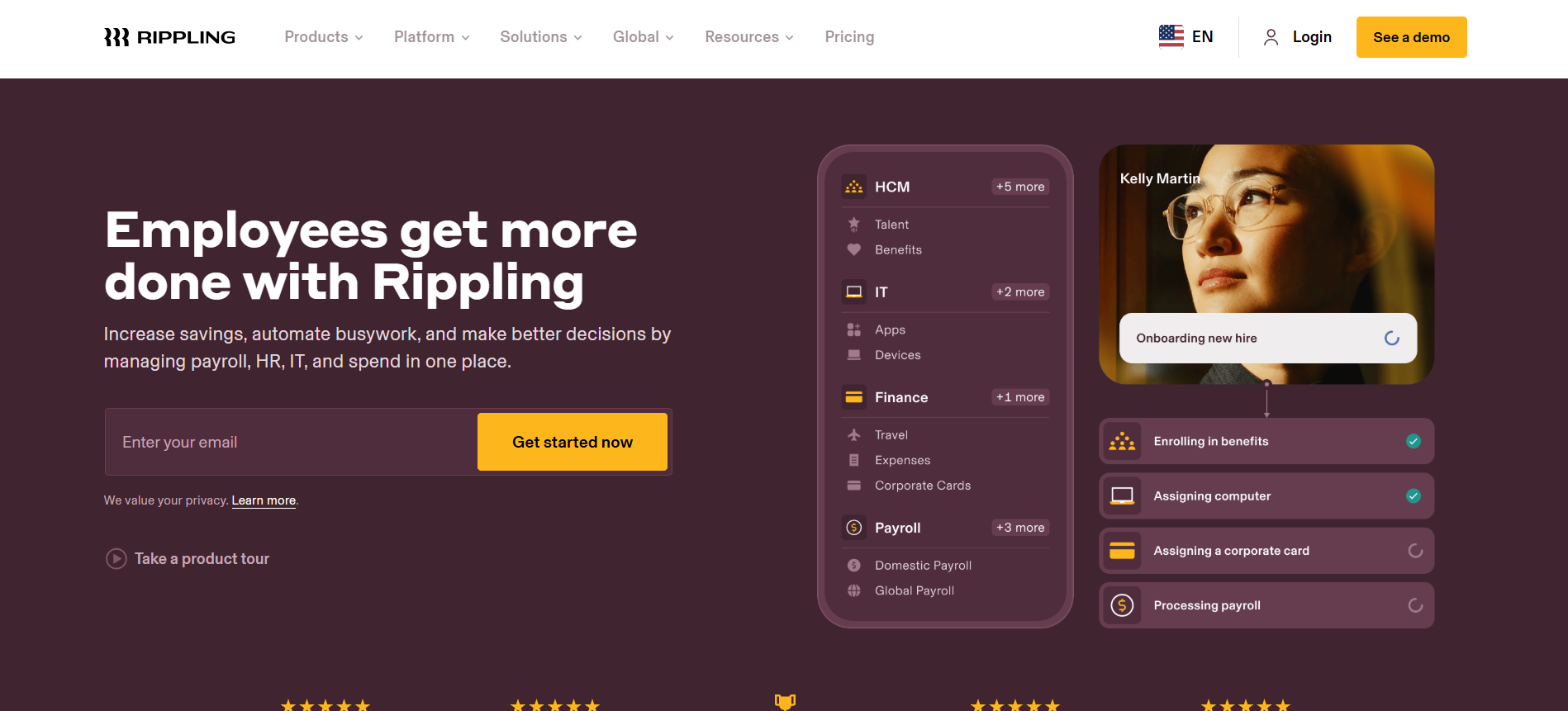
Rippling combines payroll with comprehensive IT management, making it ideal for tech-savvy companies managing distributed or remote teams.
Best For: Tech companies wanting unified HR, IT, and payroll management across global teams.
Pricing: Custom pricing (historically from $8 per month per user).
Key Features:
- Global payroll capabilities (180+ countries)
- Automated compliance management
- IT device management integration
- Advanced workflow automation
- Benefits administration
- App marketplace with 500+ integrations
Why Choose Rippling: For companies managing distributed teams, Rippling's ability to handle everything from laptop provisioning to benefits enrollment creates operational efficiency. The platform scales internationally.
Considerations: The breadth of features can overwhelm smaller teams. Pricing increases quickly with add-ons. Strategic compensation planning still requires dedicated tools.
6. OnPay

OnPay delivers reliable payroll processing without overwhelming complexity or enterprise pricing. The platform appeals to businesses transitioning from manual processes.
Best For: Budget-conscious small businesses (5 to 100 employees) wanting straightforward payroll.
Pricing: $40 per month plus $6 per employee.
Key Features:
- Unlimited payroll runs
- Automated tax filing
- HR tools and onboarding
- Benefits administration
- PTO tracking
- Transparent pricing
Why Choose OnPay: Unlimited payroll runs and transparent pricing make it budget-friendly for companies with irregular pay schedules or frequent bonuses.
Considerations: While reliable for core payroll, OnPay lacks advanced compensation planning, workforce analytics, and headcount forecasting that rapidly scaling companies require.
7. Square Payroll

Square Payroll integrates seamlessly with Square's point-of-sale and payment systems, making it an obvious choice for restaurants, retail shops, and service businesses.
Best For: Small businesses already using Square for payments, especially in food service and retail.
Pricing: $35 per month plus $5 per employee.
Key Features:
- POS integration
- Tip distribution management
- Same-day direct deposit
- Automated tax filing
- Time tracking
- Employee scheduling
Why Choose Square Payroll: Native integration with Square POS eliminates manual data transfer and streamlines operations where sales and payroll connect closely.
Considerations: Limited HR functionality beyond core payroll. Less suitable for businesses not using Square's payment ecosystem or those needing strategic workforce planning.
8. Zenefits (now TriNet)

TriNet positions itself as a comprehensive people operations platform, combining payroll with robust HR and benefits administration capabilities.
Best For: Companies seeking integrated HR and benefits with payroll processing.
Pricing: Custom pricing (historically from $14 per month per employee).
Key Features:
- Payroll processing
- Benefits administration
- Performance management
- Time and attendance
- Compliance tools
- Mobile employee access
Why Choose TriNet: For companies wanting to consolidate multiple HR functions into one platform, TriNet offers comprehensive coverage beyond basic payroll.
Considerations: The platform has undergone significant changes following its rebrand. Some users report inconsistent customer support experiences. Strategic workforce planning capabilities remain limited.
Also Read: Data-Driven HR Strategies for Effective Payroll Management
However, when choosing the right payroll software, you need to consider a few factors.
How to Choose the Right Payroll Software for Yourself?
Selecting payroll software requires evaluating your current needs and future growth trajectory. The wrong choice creates costly switching headaches later. The right choice scales with your team while reducing administrative burden.

Follow this structured approach to identify your ideal solution:
Step 1: Assess Your Current Situation
- How many employees do you have today, and how many do you expect in 12-24 months?
- How many states or countries does your workforce span?
- What HR functions beyond payroll do you need to manage?
- What's your current process for compensation planning and budgeting?
Step 2: Define Your Must-Have Features
Create a weighted list of features based on your priorities:
- Tax compliance automation
- Multi-state support
- Benefits administration
- Time tracking integration
- Compensation planning capabilities
- Headcount forecasting
- Reporting and analytics
Step 3: Consider Total Cost of Ownership
Beyond base pricing, factor in:
- Implementation costs and timeline
- Training requirements
- Integration expenses
- Cost of manual workarounds for missing features
- Potential compliance penalties from errors
Step 4: Evaluate Scalability
Ask yourself:
- Will this solution support our growth for the next 3-5 years?
- Can it handle increasing complexity in our compensation structure?
- Does it support our expansion into new markets or geographies?
Step 5: Test the User Experience
Request demos and trials focused on:
- How long does it take to run payroll
- Ease of making corrections
- Employee self-service experience
- Reporting capabilities
- Support responsiveness
While the solutions above excel at payroll processing, growing companies often face a critical challenge.
Also Read: Advantages of Pay Grade Systems in Employee Compensation
When Standard Payroll Isn't Enough?
Disconnected systems force HR and Finance teams to manually reconcile compensation data, headcount plans, and budget forecasts in spreadsheets.
The hidden costs of payroll-only solutions are:
As companies scale from 50 to 500+ employees, they typically encounter:
- Fragmented Data: Payroll in one system, compensation bands in spreadsheets, headcount plans in another tool
- Manual Reconciliation: Hours spent aligning payroll actuals with workforce budgets
- Limited Visibility: Inability to forecast compensation costs or model scenarios in real-time
- Offer Letter Risk: Disconnected offer workflows that don't validate against approved compensation ranges
- Budget Governance Gaps: No systematic way to ensure new hires align with approved headcount plans
This is where compensation management and headcount planning platforms like CandorIQ become essential complements to payroll software.
Bridging Payroll and Strategic Workforce Planning
For companies reaching 50-500 employees, adding a dedicated compensation and headcount planning platform alongside payroll software creates a unified system that:
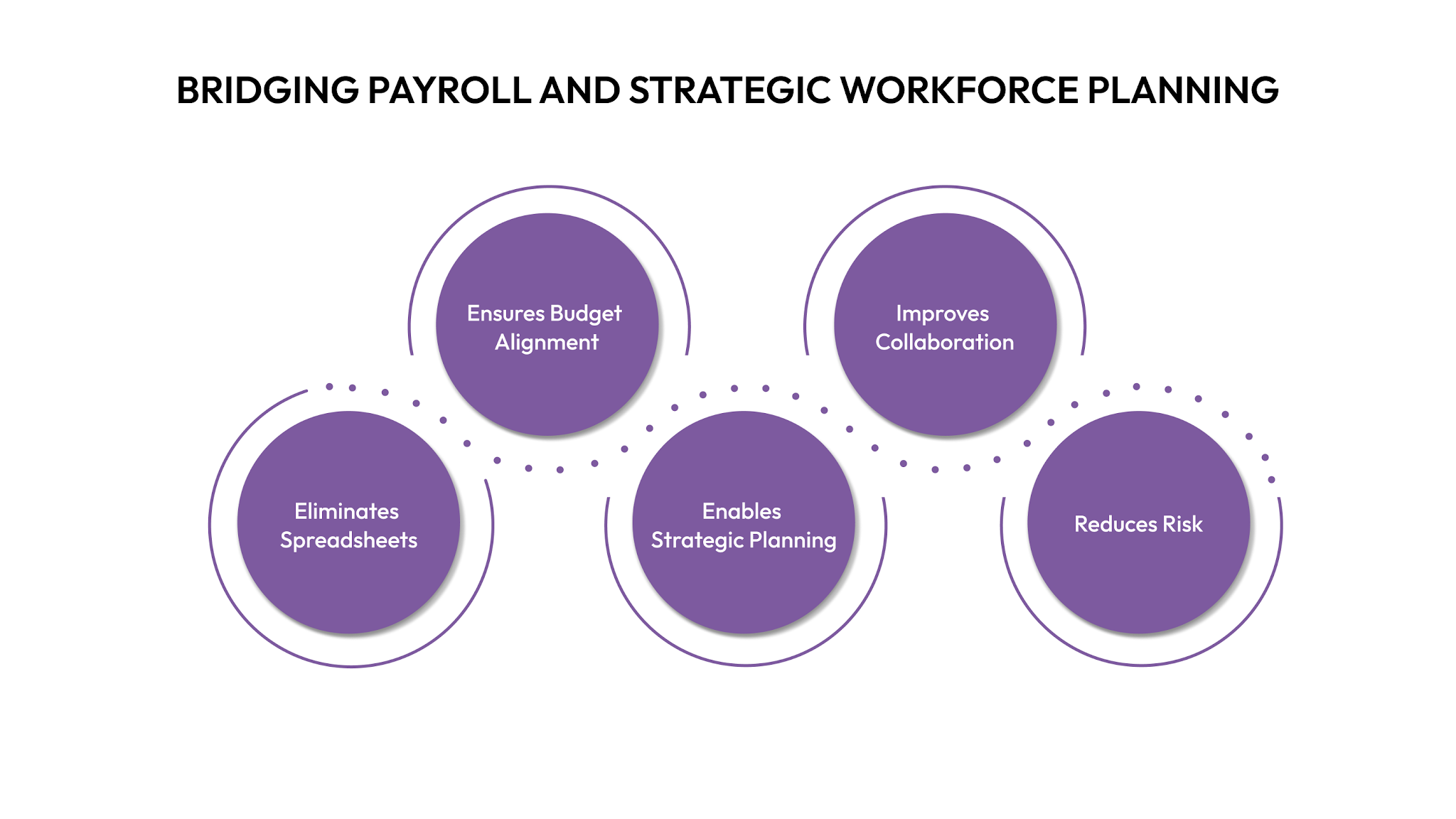
- Eliminates Spreadsheets: Centralize pay bands, compensation cycles, and headcount forecasting in one platform
- Ensures Budget Alignment: Real-time validation of offers and compensation changes against approved budgets
- Enables Strategic Planning: Model compensation scenarios, forecast workforce costs, and plan geo-adjusted compensation
- Improves Collaboration: Real-time collaboration between HR, Finance, and leadership on workforce decisions
- Reduces Risk: Built-in guardrails prevent off-band offers and unauthorized headcount additions
Let’s see how CandorIQ can help you.
CandorIQ: Purpose-Built for Growing Companies
CandorIQ consolidates compensation management and headcount planning for modern HR and Finance teams. While it doesn't replace your payroll system, it works alongside it to provide:
- Unified Compensation Framework: Manage pay bands, merit cycles, promotions, and equity in one place
- Real-Time Headcount Planning: Align workforce plans with budgets and eliminate spreadsheet chaos
- Offer Workflow Management: Streamline offer approvals with built-in validation against comp ranges
- Geo-Adjusted Compensation: Support distributed teams with location-based pay structures
- Transparent Reporting: Provide leadership with real-time visibility into compensation spend and forecasts
CandorIQ is ideal for companies with 50-5,000 employees, particularly in SaaS, fintech, e-commerce, and professional services
Conclusion
Choosing payroll software is a strategic decision that affects compliance, employee satisfaction, and your ability to scale efficiently. While platforms like Gusto, ADP, and QuickBooks excel at processing payments, growing companies need more than transactional tools.
They need systems that connect payroll to compensation planning, headcount forecasting, and budget governance. The right approach combines reliable payroll processing with strategic workforce planning capabilities.
CandorIQ eliminates the spreadsheet chaos that emerges as you scale, providing real-time visibility into compensation spend and enabling Finance and HR to collaborate effectively.
Ready to transform your compensation management? Book a demo to see how we can help you eliminate spreadsheets and align workforce plans with budgets.
Frequently Asked Questions
1. How much does payroll software typically cost for a 100-person company?
Most payroll platforms charge a base fee of $40 to $80 per month plus $5 to $12 per employee. For a 100-person company, expect monthly costs between $540 and $1,280. However, total cost of ownership includes implementation, training, and integration expenses that can add 20% to 30% to annual costs.
2. Can payroll software handle equity compensation and stock options?
Basic payroll platforms process cash compensation but lack equity management features. Companies offering stock options need specialized tools or comprehensive platforms like CandorIQ that manage equity grants, vesting schedules, and total compensation visibility alongside traditional payroll.
3. What happens if payroll software makes a tax filing error?
Reputable providers carry errors and omissions insurance to cover penalties resulting from their mistakes. However, employers remain ultimately responsible for compliance. Choose platforms with tax accuracy guarantees and review your provider's liability coverage before signing contracts.
4. How long does it take to switch from one payroll provider to another?
Payroll migrations typically require 30 to 60 days for proper setup, data transfer, and testing. Factor in additional time for employee onboarding and first payroll run validation. Plan switches during low-activity periods to minimize disruption.
5. Do I need separate software for payroll and compensation planning?
Basic payroll software processes payments but lacks strategic compensation planning features. Companies scaling beyond 50 employees typically need dedicated platforms like CandorIQ for pay band management, merit cycles, headcount forecasting, and offer workflow approvals alongside their payroll system.
Ready to modernize your workforce and compensation strategy?
See how CandorIQ brings workforce planning and compensation together with AI.