

A CFO's Proven Framework for Workforce Management Implementation
Workforce management implementation for CFOs to fix data gaps, control hiring costs, and align Finance and HR with real-time budget visibility and control.

Roles get added outside the system. Offers go out above band. HR and Finance end up reconciling from different spreadsheets. And when leadership asks for a workforce cost update, no one has a clean number.
This is not a data problem. It is an implementation problem.
According to a 2025 survey, only 2% of CFOs anticipated headcount growth in 2026, down from 6% in 2025, reflecting how tightly Finance is now scrutinizing every workforce decision. At the same time, SHRM research found that 51% of HR professionals cited budgetary constraints as a top challenge in 2024, up sharply from 21% the year prior. The pressure is real on both sides.
When workforce management implementation is done well, Finance gains a direct line of sight into hiring costs before approvals are issued. Planning runs on shared data. Variances get caught early, not after payroll has already run.
This guide walks you through what structured implementation actually involves, why most rollouts fall short, and how to build a process that keeps your workforce spend visible and your headcount decisions financially grounded.
Key Takeaways
- Shift from Reactive to Proactive Control: True implementation moves Finance from tracking costs after payroll runs to seeing the budget impact of a hire before the hire is approved.
- Define Ownership by Decision: Prevent project stalls by assigning clear accountability in Phase 1. Finance must own budget thresholds and cost sign-offs while HR manages data accuracy and intake.
- Standardize Data Before Setup: Avoid "digital spreadsheets" by reconciling job titles and headcount definitions across HR and Finance systems before you start the configuration.
- Pilot Before You Scale: Use a phased 5-step framework to test workflows in a single department. This identifies data gaps and approval friction in a controlled environment before a global rollout.
- Commit to Continuous Governance: Financial control is maintained through monthly variance reviews. A system without a regular "actuals vs. plan" rhythm eventually becomes as unreliable as a manual spreadsheet.

What Workforce Management Implementation Means for Finance Leaders?
For CFOs and FP&A leaders, workforce management implementation is about building a planning system where every headcount decision is tied to budget impact in real time, not after payroll reflects it. It defines how hiring is approved, how costs are modeled, and how workforce spend is tracked before decisions are locked in.
In many companies, implementation is treated as a system rollout owned by HR, with Finance stepping in later to review reports. By then, key hiring and compensation decisions have already been made without full cost visibility. The system is live, but financial control is not.
A strong implementation starts with financial logic. Approval thresholds, headcount definitions, cost modeling, and reporting structures are built early, so Finance can see and influence workforce decisions as they happen.
This is the difference between managing workforce operations and building workforce planning infrastructure. Operations track what has already happened. Planning infrastructure gives Finance visibility into what will happen and what it will cost before it does.
Why Most Workforce Management Implementations Fail to Deliver Financial Visibility?
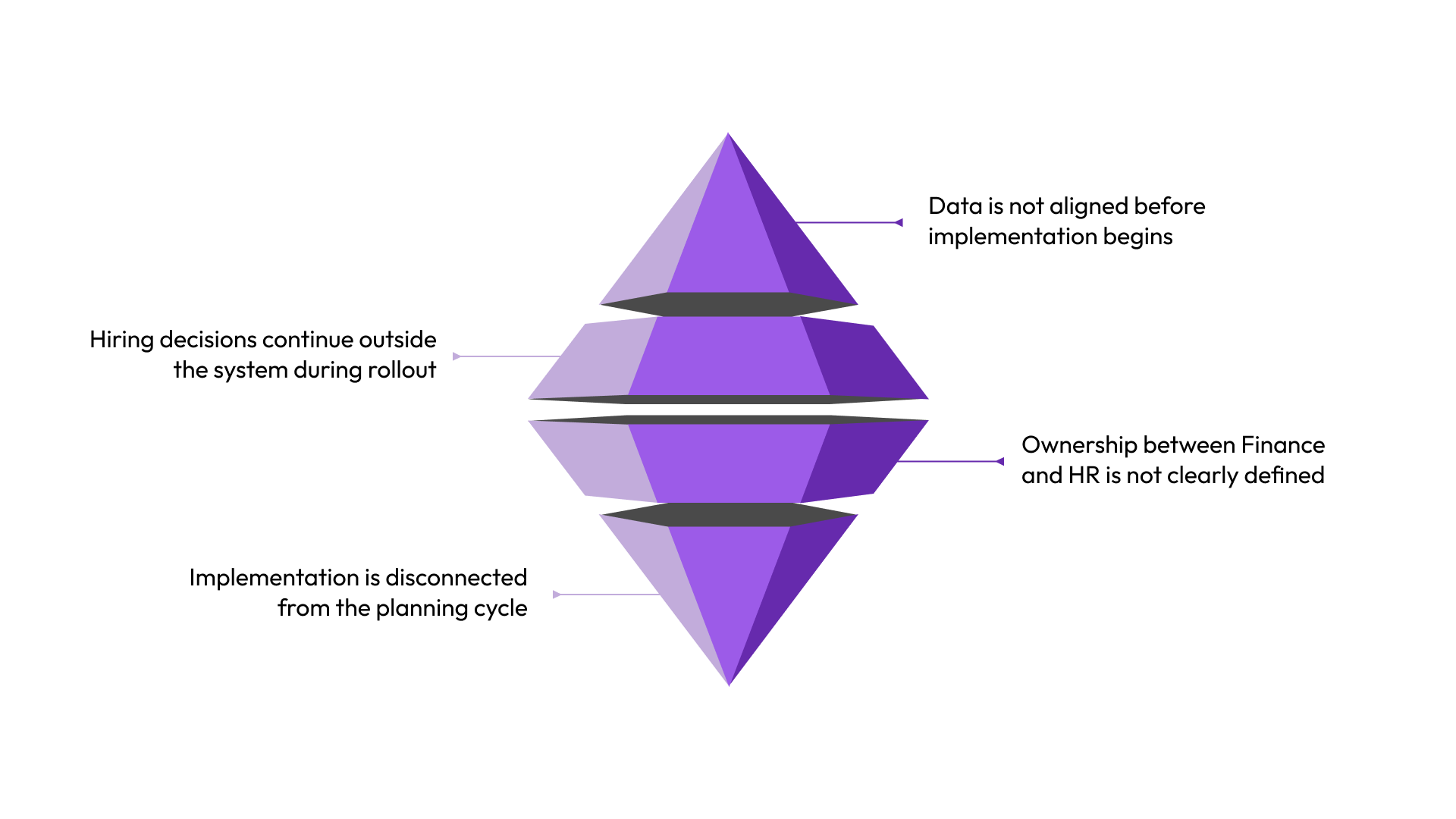
Workforce management implementations break down when financial visibility is not built into execution from the start. The issue is not the system; it’s how the rollout is structured.
1. Data is not aligned before implementation begins
- Compensation and headcount data live across multiple sources
- Definitions for roles, levels, and costs are inconsistent
- Finance and HR operate on different datasets
What this leads to: Systems reflect structured workflows, but the underlying numbers remain unreliable.
2. Hiring decisions continue outside the system during rollout
- Approvals happen through Slack, email, or informal conversations
- Not all hiring activity is captured in the new workflow
What this leads to: Workforce changes occur without real-time financial visibility, and discrepancies surface only after costs are committed.
3. Ownership between Finance and HR is not clearly defined
- Responsibility for headcount accuracy and budget alignment is unclear
- Both teams assume the other is managing key inputs
What this leads to: Conflicting reports, delayed approvals, and inconsistent workforce data across teams.
4. Implementation is disconnected from the planning cycle
- Rollout happens mid-cycle while existing processes continue
- Two parallel systems operate at the same time
What this leads to: Decisions are split across workflows, making it difficult to maintain a consistent view of workforce costs.
The Finance-Led Workforce Implementation Framework
What follows is a phased implementation framework built specifically for Finance-led rollouts. It is sequenced around budget cycles and planning accuracy, not IT milestones.
Phase 1: Foundation, Data Readiness, and Stakeholder Alignment (Weeks 1 to 4)
Before any system is configured, Finance needs a clear picture of what data it is working with.
Start here:
- Audit current headcount by department, level, and location.
- Map compensation data by role and grade. Identify where gaps and inconsistencies exist.
- Align with HR on shared definitions. Is headcount a funded role or a filled seat? This distinction will affect every downstream budget report.
- Document current-state approval workflows. Know what you are replacing before you replace it.
This phase also establishes the RACI. Finance owns budget thresholds and cost-impact sign-off. HR owns compensation data accuracy and headcount request intake. Both teams agree on reporting outputs before any configuration begins.
Example: A scaling SaaS company preparing for implementation discovers that the Engineering headcount data is maintained in three separate spreadsheets by three different HRBPs with no reconciliation between them. The data audit takes two weeks but prevents six months of inaccurate forecasting.
Phase 2: Design, Planning Structure, and Budget Logic (Weeks 5 to 8)
This is where the system gets configured around your planning hierarchy, not the other way around.
Finance should define the following before HR configures anything:
- Budget thresholds by department and level. What requires Finance sign-off versus what HR can approve independently?
- Approval chains. Who sees which requests and in what order?
- Cost-impact reporting requirements. What does Finance need to see, how often, and in what format?
- Exception handling protocols. What happens when a request falls outside approved pay bands?
A system configured around legacy spreadsheet logic recreates the same problems digitally. Phase 2 is your opportunity to design something better.
Phase 3: Pilot, Controlled Rollout in One Business Unit (Weeks 9 to 12)
Run one department through a complete headcount or compensation-planning cycle before rolling it out to the full organization.
Finance should validate:
- Do the budget impact data the system produces match what Finance expects?
- Are approval chains routing correctly?
- Are there data gaps that only surface when real requests go through the workflow?
This phase exists to catch problems when they affect one team, not fifty. Piloting is not optional for mid-sized or larger organizations. The cost of skipping it shows up in Phase 4.
Phase 4: Scale, Full Deployment, and Workflow Standardization (Months 4 to 6)
Roll out to all departments. Standardize approval workflows and reporting outputs across the organization.
By the end of this phase, Finance should be receiving actuals vs. plan on headcount spend on a defined cadence. Managers should understand the approval process. Finance should ensure all teams are operating from the same underlying data.
This is also the phase where integration with your HRIS and ATS needs to be validated. Approved roles should flow automatically into your recruiting system. Manual handoffs lead to data errors and slow hiring.
Phase 5: Optimize, Actuals vs. Plan Tracking (Ongoing)
Implementation does not end at go-live. This is the point most guides miss.
Build a monthly variance review of actual workforce spend against the plan into your operating rhythm from day one. Ask: Where are we running ahead of plan? Where are decisions being made outside the system? What does that mean for the Q3 forecast?
This cadence determines whether financial control is maintained or eroded. A system that goes live and never gets reviewed is just a more expensive spreadsheet.
Want to see how a unified planning system supports a Finance-led implementation from data readiness to full deployment? Contact us to walk through how CandorIQ maps to your rollout timeline.
How to Assign Financial Ownership Between Finance and HR During Implementation?
Most implementations stall not because the technology is wrong, but because two teams are pulling in different directions without a clear agreement on ownership.
Assigning ownership is not a conversation to have after go-live. It needs to happen in Phase 1, before a single decision is configured into the system.
Here is how to do it in practice.
Start with a kickoff conversation, not a document
The first ownership assignment happens in a single working session between the Finance lead and the HR lead before implementation begins. The goal is not to produce a lengthy governance framework. The goal is to answer five specific questions that, if left unanswered, will slow down every phase that follows:
- What is the definition of headcount for this implementation? A funded role, a filled seat, or an employee actively on payroll? Finance and HR frequently use different definitions. One agreed definition needs to be documented and used everywhere from this point forward.
- At what compensation level or role seniority does Finance require sign-off? This sets the threshold for escalation and prevents HR from routing senior or high-cost hires without Finance review.
- Who has budget exception authority when a request falls outside approved pay bands? This needs a named person, not a team.
- What reporting does Finance need, in what format, and on what cadence? Monthly actuals vs. plan is the minimum. The format should be agreed upon before the system is configured, not after.
- Which system is the single source of truth for headcount and compensation data? This cannot be a shared answer. One system wins. Everything else integrates into it.
Document the answers to these five questions before the kickoff session ends. This is your ownership foundation. Every configuration decision in Phase 2 references it.
Map the RACI to actual decisions
A RACI that says 'Finance owns budget' and 'HR owns headcount' is not specific enough to prevent problems. The RACI needs to map to decisions, not functions.
Here is a practical decision-level ownership structure you can adapt:
The point of mapping to decisions is that when a specific situation arises during implementation, no one needs to escalate to figure out whose call it is. The answer is already documented.
Note: 'Accountable' here means the person who owns the outcome and answers to leadership if something goes wrong. There should be exactly one accountable person per decision. If you write two names in that column, neither of them truly owns it.
Set SLAs for each team before the pilot begins
Ownership without a timeline is just intent. Before the pilot phase starts, Finance and HR each need to commit to response SLAs for every step they own in the workflow.
A workable starting point:
- Finance review of a new hire request: two business days from submission.
- Finance sign-off on a budget exception: one business day from HR escalation.
- HR update of compensation data when a change is made: same business day.
- Finance delivery of actuals vs. plan report: within five business days of the month close.
These SLAs are not permanent. Review them after the pilot and adjust based on actual performance. What matters is that they exist before the first request goes through the system, because the first broken SLA sets a precedent that is hard to reverse.
Run a pre-go-live alignment check with both teams
One week before full deployment, run a short alignment check session. Bring Finance and HR together and verify three things:
- Both teams are pulling headcount and compensation data from the same source and producing the same numbers.
- Every approver knows their role in the workflow and has been trained on the system.
- The exception handling process has been tested. At least one out-of-band request should have gone through the pilot workflow, so both teams know what happens when it does.
If you cannot confirm all three, delay go-live by one week. Launching with unresolved ownership gaps costs more time to fix after go-live than a short delay would have before go-live.
Data Requirements Finance Leaders Should Confirm Before Implementation Begins
You cannot configure a planning system accurately if the underlying data is messy. This section gives you the specific data set Finance needs to validate before any configuration begins.
The minimum data set Finance needs before going live
Common data quality problems that delay implementation and inflate costs
Here is what Finance typically finds during the data audit and what each issue actually costs:
- Mismatched job titles across HRIS and Finance systems. Roles that Finance tracks as 'Senior Engineer L4' show up in the HRIS as 'Software Engineer III.' Reconciling this manually takes weeks and creates reporting inconsistencies that persist past go-live.
- Compensation data in multiple currencies without consistent geo-adjustment. For distributed teams, this means Finance is comparing salaries that are not actually comparable without a conversion step.
- Approved but unfilled roles still appear as active headcount. This inflates Finance's view of workforce spend, creating downstream budget allocation errors.
- Department-level headcount data is maintained by different people using different definitions. Finance ends up reconciling data from multiple sources rather than pulling from a single source.
How to establish a single source of truth
The goal of Phase 1 is to exit with a single agreed-upon data source for headcount and compensation that both Finance and HR will pull from.
This usually means agreeing on which system is the system of record for each data type and building integrations that automatically push updates from the source into the planning system. Manual data transfers are where accuracy breaks down.
Realistic Implementation Timelines and What Finance Should Expect
Most implementations take longer than the initial project plan suggests. Here is an honest set of benchmarks based on company size and complexity.
What You Should Validate at 30, 60, and 90 Days Post-Launch
Go-live is not the finish line. Here is what Finance should be reviewing at each milestone:
- 30 days post-launch: Are all headcount requests going through the system? Are there informal channels still operating? Is the data in the system matching what Finance expected from the audit?
- 60 days post-launch: Is the actuals vs. plan report accurate? Are approval cycle times within the SLAs defined during Phase 2? Are there exceptions being handled outside the workflow?
- 90 days post-launch: Is Finance producing workforce cost reports from the system without manual reconciliation? Are headcount and comp numbers consistent between Finance and HR reporting?
Moreover, the most common mistake after a successful go-live is to reduce attention to the system. Teams move on to the next initiative. Exceptions start getting handled informally. Data quality drifts.
Build the monthly variance review into the operating calendar from day one. Assign ownership of data quality to specific people. Review the approval workflow quarterly and adjust SLAs as the company grows.
Financial Risks of Poor Workforce Management Implementation
If the implementation goes wrong, the cost is not just a delayed project. It shows up in budget variance, comp inconsistencies, and leadership reporting that does not reflect reality. Here is what Finance is actually at risk of.
Budget overruns from headcount decisions made outside the system
When hiring approvals happen through informal channels during or after implementation, Finance does not see the cost impact until payroll runs.
By that point, the variance is already a fact, not a forecast. Finance is in damage-control mode rather than governance mode. The difference between catching a budget issue before an offer is extended versus after a hire starts is significant, both financially and politically.
Compensation inconsistencies that create downstream financial exposure
When pay band data is not centralized from the start, offers go out of range without Finance visibility.
The cost does not show up immediately. It shows up six months later as a compression adjustment, an off-cycle raise request, or a backfill hire after someone leaves because their comp fell below market. These costs are real, and they compound over time.
Leadership reporting that does not reflect actual workforce spend
If Finance and HR produce different headcount figures from different data sources, executive decisions are based on unreliable inputs.
This is a credibility problem as much as a financial one. When leadership asks Finance for the workforce cost impact of a proposed reorganization, and Finance cannot produce a reliable answer, the implementation has failed, regardless of whether the system is technically running.
What to Look for in a System That Supports Finance-Led Implementation
Not every workforce planning system is designed with Finance in mind. Here is what to evaluate when assessing whether a tool can support a Finance-led implementation.
- A unified data model that connects compensation and headcount in one place. If comp and headcount live in separate modules that do not communicate with each other, Finance will still have to reconcile manually.
- Configurable approval workflows that match your actual budget authority structure. Generic approval chains do not map to how most finance organizations actually operate.
- Real-time budget impact visibility, not batch reporting. Finance needs to see the cost impact of a headcount request before it is approved, not in a weekly export.
- Integration with existing HRIS and ATS without requiring a full data migration. A full migration extends implementation timelines significantly and increases data risk.
- Scenario planning capability. Finance needs to model different hiring paths against the same budget before decisions are made, not after.
When these criteria are not met, the visibility problem persists. It moves. Finance ends up reconciling across tools rather than across spreadsheets, which is a different workflow with the same underlying gap. The system to look for is the one that closes that gap at the source.
How CandorIQ Supports Workforce Management Implementation Without Losing Budget Control
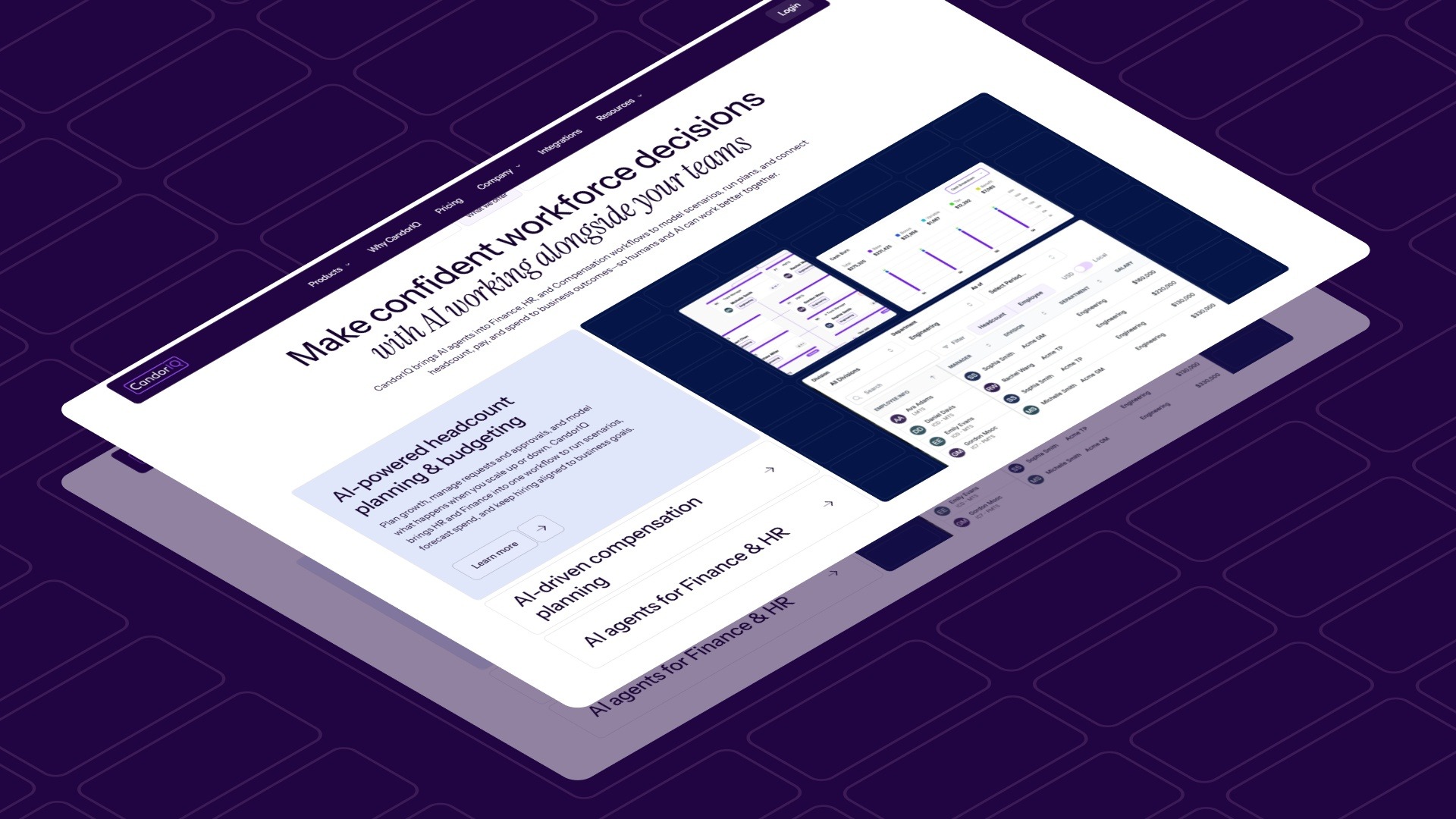
CandorIQ is built specifically for this: connecting compensation structure, headcount approvals, and budget visibility in one system so Finance is not the last to know when a workforce decision has been made.
CandorIQ supports that connection through:
- Headcount Scenario Planning: Finance can model the cost impact of different hiring paths against live budget thresholds before a single approval is issued.
- Headcount Requests and Approvals: Standardizes the intake process so headcount decisions move through a defined, auditable workflow rather than email chains that Finance cannot track.
- Compensation and Payband Builder: Gives Finance and HR a shared pay structure, removing the inconsistency that causes off-range offers and comp compression.
- Workforce Management: Tracks actuals vs. plan on headcount and compensation in one view, giving Finance the variance data it needs on a regular cadence.
- AI Agent: Surfaces spend gaps, models impact, and answers planning questions without requiring Finance to pull and reconcile data manually.
Every phase of a structured implementation comes back to the same requirement. Finance needs to see workforce decisions as they happen, not after the fact. That visibility does not come from better spreadsheets. It comes from a system where compensation, headcount, and budget data are connected at the source.
If your next planning cycle needs that kind of visibility, it is worth a conversation. Contact us.

FAQs
1. How do you measure ROI from workforce management implementation?
Measure ROI through reduced approval cycle time, improved forecast accuracy, lower budget variance, and decreased manual reconciliation effort across Finance and HR workflows.
2. What change management steps are critical for successful implementation?
Train stakeholders early, communicate process changes clearly, enforce system usage, and monitor adoption to prevent teams from reverting to informal workflows outside the system.
3. How do you handle global workforce complexity during implementation?
Standardize core data definitions while allowing regional compensation logic, currency adjustments, and compliance requirements to be layered without breaking central financial visibility.
4. What role does automation play in workforce management implementation?
Automation reduces manual errors by standardizing approvals, syncing data across systems, and ensuring real-time updates for headcount, compensation, and budget tracking.
5. How do you future-proof a workforce management system?
Design flexible workflows, regularly review approval structures, maintain clean data standards, and adapt reporting models as hiring needs and organizational complexity evolve.
Ready to modernize your workforce and compensation strategy?
See how CandorIQ brings workforce planning and compensation together with AI.