

Bulk Headcount Approvals: How They Work and What to Get Right
Master bulk headcount approvals with a clear, scalable process. Learn how to streamline hiring, avoid delays, and align budget, data, and approvals efficiently.


When you are hiring multiple people across departments or filling several seats for the same role at once, running separate approval flows for each request is slow and inconsistent. Bulk headcount approvals solve this by grouping multiple requests into a single workflow cycle, so approvers review everything together and make decisions without chasing people across Slack and email.
At the tool level, most platforms let you create a batch of identical requisitions for the same role and route them for group approval in one action. At the process level, bulk approvals go further: they apply a consistent review standard to all open requests in a planning cycle, whether those requests are for the same role or different ones across teams.
This guide covers both. What bulk headcount approvals are, when they apply, where the process typically breaks, and what a well-run cycle looks like from intake to ATS activation.
Key Takeaways
- Bulk headcount approvals process multiple hiring requests in a single workflow cycle. At the tool level, this means grouping identical requisitions for group approval. At the process level, it means applying consistent governance to all requests in a planning period.
- The most common failure point is not volume. It is missing data at intake: requests that reach approvers without a confirmed compensation range, budget code, or business justification.
- Budget validation should happen before approval routing, not after. When Finance checks budget eligibility after an approver has already said yes, the rework cost is two to three weeks per request.
- Approval and activation are two separate steps. An approved request is not an open role. No requisition should go live in the ATS without a confirmed compensation range attached.
- Without a single data source for all requests, Finance and People Ops will always be reconciling different numbers at month-end.
What Bulk Headcount Approvals Actually Mean
The term covers two related but distinct things, depending on whether you view it from a tool or a process perspective.
At the tool level
Most headcount and ATS platforms let you create a group of identical requisitions for the same job and send them for approval together. Approvers receive one notification, review the group, and approve or reject the batch in a single action. Workable, for example, supports up to 50 identical requisitions per bulk group, each sharing the same hiring manager, salary, and plan date.
This works well when you are hiring multiple people for the same role at the same time: scaling a sales team by 15, opening 10 support reps across two regions, or onboarding a cohort of engineers for a new product line. Instead of 15 individual approval flows, one group notification goes out, and one decision covers the batch.

At the process level
Process-level bulk approvals handle higher complexity. You are not just approving multiple seats for one role. You are reviewing 12 to 20 requests from different teams, roles, levels, and budgets, all within the same planning cycle.
Here, bulk approvals mean collecting all open requests, standardizing the information each carries, validating each against the headcount plan and available budget, and then routing them through the right approval chain together. The output is a set of decisions made under the same governance standard, not a patchwork of one-off approvals scattered across tools and inboxes.
Situations Where Bulk Headcount Approvals Become Necessary
An ad hoc approach works at low hiring volumes. These are the situations where it stops working.
Hiring multiple people for the same role
This is the most straightforward use case. When you need 20 sales reps in one market or 10 engineers for a single product team, creating individual requisitions and running separate approval flows is inefficient. A bulk approval group handles the entire headcount in a single cycle, with a single notification and a single decision.
Quarterly and annual planning cycles
When the planning window opens, every department submits requests at the same time. Without a structured process, requests arrive in different formats, carry different information, and move through different approval chains depending on who submitted them. A bulk approval process creates a single intake window with a shared data standard, so every request moves through the same path and gets evaluated against the same budget data.
Scaling periods with concentrated hiring demand
A new product launch, a market expansion, or a large sales ramp can generate 20 to 30 requests in a short window. At that volume, processing requests one by one creates inconsistency. Some get a thorough review. Others move forward based on relationship capital rather than business justification. A bulk process applies the same standard to all of them.
High-volume backfill cycles
When multiple people leave in a short period, each departure creates a backfill request. Without a consolidated review, Finance cannot see the cumulative budget impact until approvals have already been given. Running backfills through a bulk process lets you evaluate all of them together against the remaining headcount budget before any are approved.
73% of companies name workforce planning as a top-3 priority, yet only 12% feel confident in how they execute it. (McKinsey, 2024, cited in Hyring) In most cases, the gap is not a strategy. It is the absence of a repeatable process.
Where Bulk Headcount Approval Processes Break Down
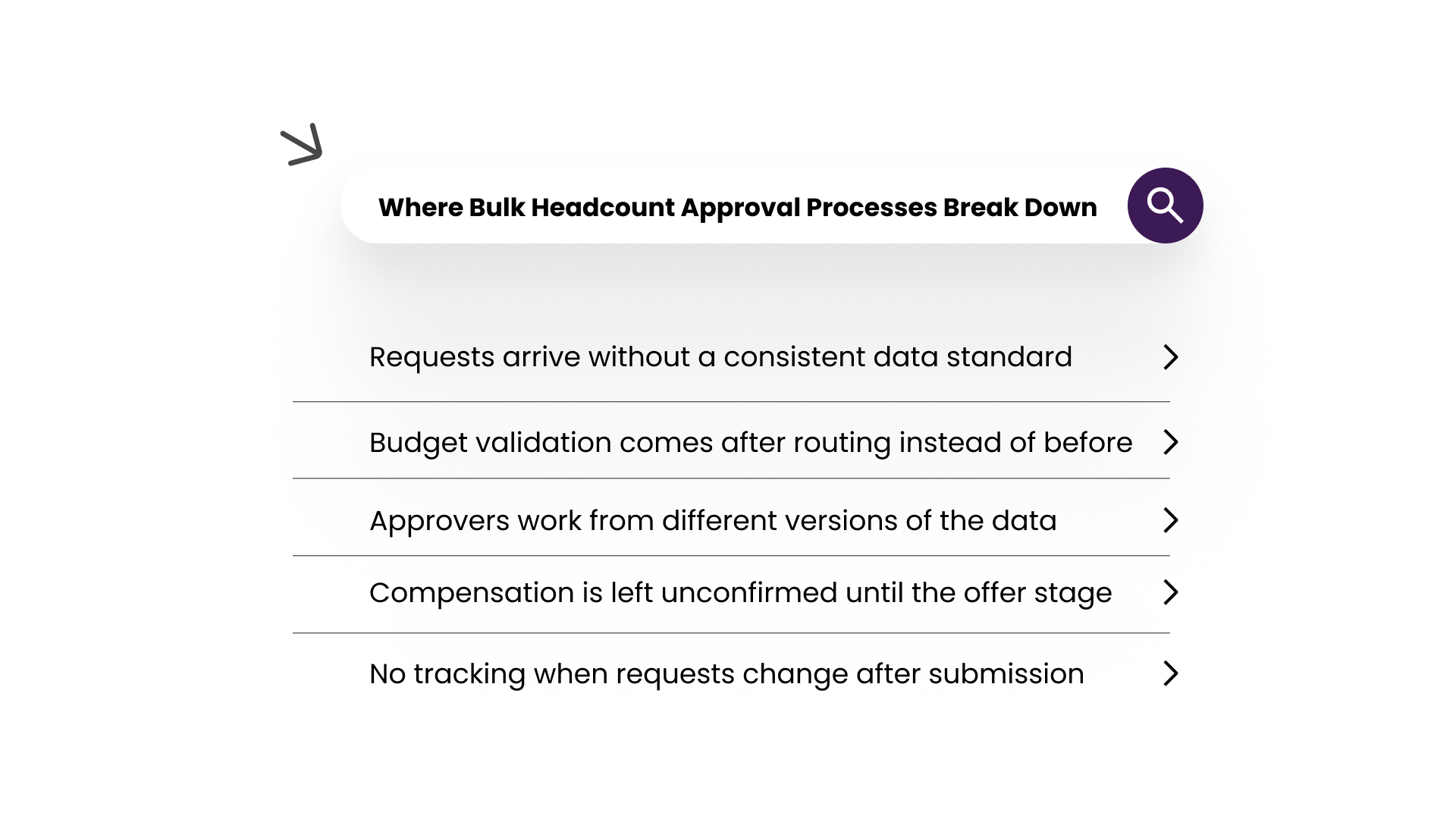
Most failures in bulk approval cycles are not caused by approver judgment. They are caused by process gaps that exist before the approver ever sees a request.
Requests arrive without a consistent data standard
One hiring manager includes a salary range. Another does not. One attaches a budget code. Another assumes Finance will sort it out. When requests carry different information, approvers either make decisions on incomplete data or spend time chasing missing details mid-review.
Requests that do not meet a minimum data standard should not enter the review queue. They go back to the submitter. Every request that reaches an approver should carry the same fields.
Budget validation comes after routing instead of before
In most unstructured processes, a request routes directly to the approver. Finance checks the budget only after someone has already said yes. If the budget does not support the role, the request goes back, the conversation restarts, and the cycle is delayed by 2 to 3 weeks.
Budget validation belongs at intake, before any approver is notified. This one change removes most of the rework from a typical bulk approval cycle.
Approvers work from different versions of the data
Finance looks at last quarter's approved headcount plan. People Ops works from a spreadsheet updated two weeks ago. The hiring manager submitted a request based on a conversation from a month back. Nobody works from the same numbers, and the approval decision reflects that misalignment.
This is a data problem, not a communication problem. It gets solved by centralizing all requests and budget data in one place, not by adding more alignment meetings.
Compensation is left unconfirmed until the offer stage
A role gets approved without anyone confirming its position in the pay band. The requisition opens, recruiting sources candidates, and then the offer stalls because the budget supports a salary well below candidate expectations. The search restarts from zero.
Every approved role needs a confirmed compensation range before the requisition goes live. This decision needs to be made at the time of approval, not two months later at the offer stage.
No tracking when requests change after submission
A hiring manager updates a request mid-review. The salary changes. The title shifts. The start date moves. The approver reviews the original version and makes a decision based on data that no longer reflects the team's actual needs.
Every change to a submitted request should be logged with a timestamp and visible to all parties in the approval chain. Without this, your approved list and your actual hiring plan carry unexplained variance every cycle.
How to Run a Bulk Headcount Approval Process That Holds Up
A workable bulk approval process does not require a heavy system. It requires clear stages, a consistent data standard, and a firm rule that compensation is confirmed before any role goes live.
Step 1: Set a hard data standard at intake.
Every request must carry the same fields before it enters the queue: role title, level, department, cost center, target start date, compensation range, and a brief business justification. A request missing any of these goes back to the submitter. No exceptions. This removes the information-chasing that stalls most approval cycles before they begin.
Step 2: Run the budget check before routing, not after
Before any approver receives a notification, each request gets validated against the approved headcount plan and the remaining budget for that department. Requests that exceed available budget are flagged here, not after someone has already said yes. Approvers should never be the ones discovering a budget problem.
Step 3: Route by role type and compensation threshold
A $70,000 coordinator role and a $175,000 leadership hire should not follow the same approval chain. Build an approval matrix that routes by compensation threshold and role type. Approvers receive all requests relevant to them in a single consolidated view, not as individual notifications spread across days.
Step 4: Decide parallel vs. sequential approval by role type in advance
For straightforward same-level roles, parallel approval works. Multiple approvers review simultaneously, and the cycle moves faster. For senior or cross-functional roles, sequential approval gives Finance visibility after the hiring manager has signed off. Decide this per role type before the cycle starts, not on a case-by-case basis during the review.
Step 5: Confirm the pay band before any requisition goes live.
Before an approved request opens as a live role in the ATS, the compensation range must be confirmed against your pay bands. This is not the final decision on the offer. It is the step that prevents recruiting from sourcing candidates for a role without a confirmed budget attached. No requisition goes live without this step being completed.
Step 6: Log every approval and every reason for change.
Every approval, rejection, or modification creates a record: who actioned it, when, on what version of the request, and why any changes were made. This data feeds better planning cycles. When you can see how much your approved list shifts between submission and execution, you can build a more accurate headcount forecast for the next period.
Mistakes That Create Problems Later in the Hiring Cycle
Most approval process failures do not show up during the approval cycle. They show up at the offer stage, at month-end reconciliation, or when recruiting asks why a role they sourced for two months was never funded. Here are the ones worth building your process around.
Approving a role without a confirmed compensation range
The role gets approved on business merit. The requisition opens. Recruiting sources and interviewing candidates. At the offer stage, the budget only supports a salary below what any strong candidate will accept. The search restarts from zero, two to three months in.
One rule fixes this: no requisition opens in the ATS without a confirmed compensation range attached to the approved request. Build it as a required step between approval and activation, not a recommended one.
Running every request through the same approval chain regardless of cost
A $65,000 coordinator request and a $200,000 VP hire going through the same two approvers both waste senior attention and create a bottleneck for lower-cost roles. Route based on compensation threshold. Lower-cost, clearly justified roles should move faster. Higher-cost or cross-functional roles warrant more review layers.
Treating approval and activation as the same step
An approved request is not an open role. When teams conflate the two, People Ops and Finance end up tracking different headcount numbers. Approval means the business case is confirmed and the budget is validated. Activation means the role is live in the ATS, and recruiting has started. Keep these as two distinct steps, with compensation confirmation sitting between them.
No fast-track path for urgent roles
Monthly bulk approval cycles work well for planned hiring. They do not work for a critical backfill that cannot wait three weeks for the next batch. Without a separate fast-track path for urgent roles that applies the same data standard and budget validation, those requests bypass the process entirely, and you lose the governance benefit for the hires that need it most.
Research from Mitratech (2025) found that mid-level roles are regularly reaching 90-plus-day time-to-fill timelines. In many cases, the primary driver is not talent scarcity. It is internal process friction: approval bottlenecks, manual workflows, and outdated systems that delay decisions before recruiting has even started.
Running Bulk Headcount Approvals on CandorIQ
The problems covered in this guide, such as requests missing data at intake, budget checks happening after approval, compensation unconfirmed when roles go live, and Finance and People Ops reconciling different numbers at month-end, all come from the same root cause. The approval process is split across tools that were never designed to work together.
CandorIQ is a compensation and headcount planning platform that consolidates all of this into a single platform. For People Ops teams managing bulk approvals, the starting point is CandorIQ's Headcount Requests and Approvals product.
CandorIQ Headcount Requests and Approvals
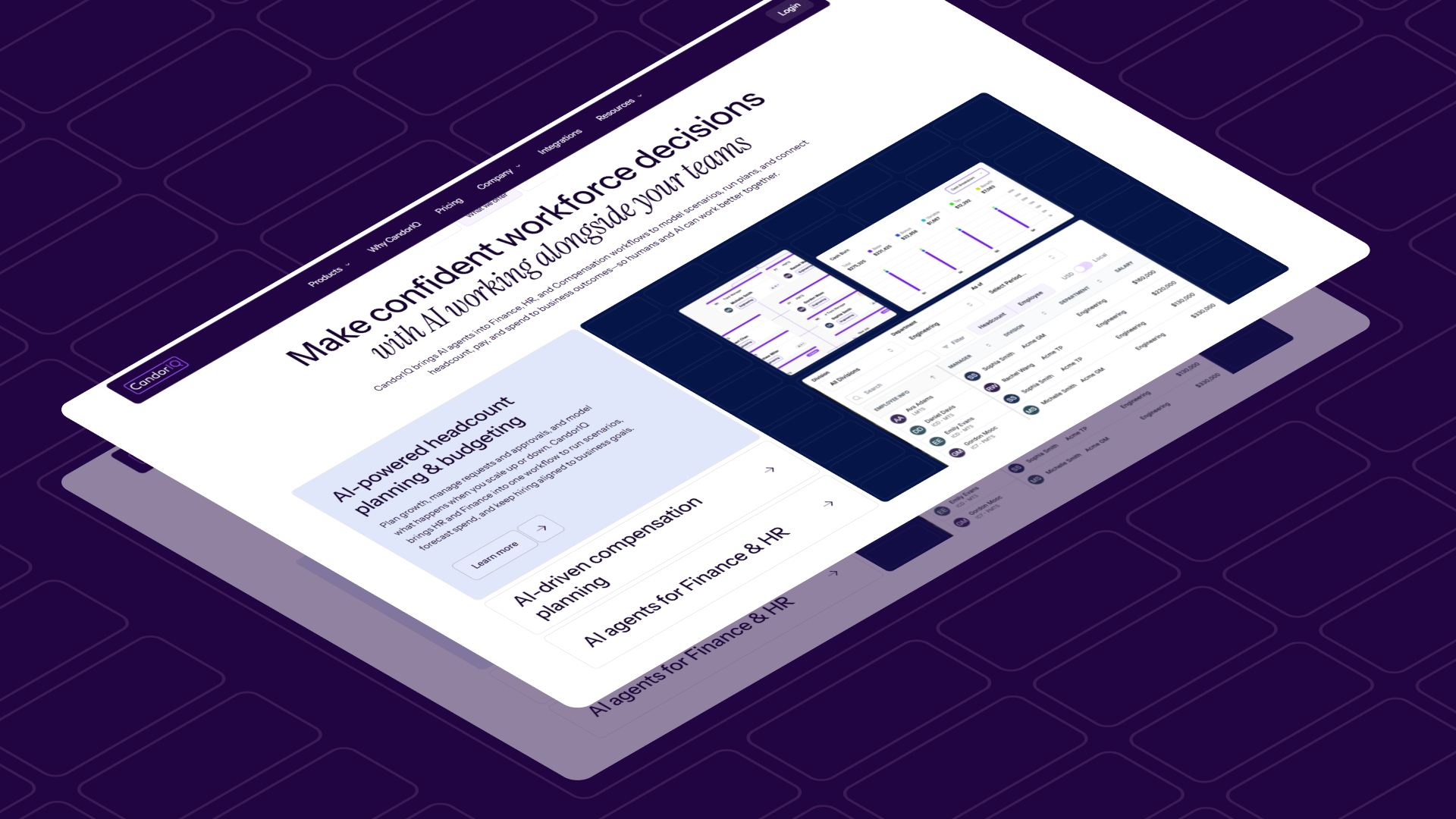
This product is built specifically for the coordination problem at the center of bulk headcount approvals. It brings all hiring requests, new roles, and backfills into a single platform so every request moves through the same process with the same data attached.
- All requests come through one place with the same required fields. No more chasing hiring managers for missing salary ranges or budget codes mid-review.
- Backfill approvals are triggered automatically when a current employee exits, eliminating the manual coordination that typically delays these roles by two to three weeks.
- Managers, HR, Finance, and Recruiting collaborate in real time on the same request data. Every approver sees the same version, not a snapshot from last Tuesday.
- Approved roles sync directly to your HRIS and ATS, so the gap between approval and activation closes without manual handoffs or duplicate data entry.
- Full visibility into requests at every stage means no one is chasing status updates across Slack. Everyone sees where each request sits and what is holding it up.
Teams using CandorIQ have reported a 50% reduction in hiring time and over $500,000 in average annual savings in headcount. Leslie Hurley, VP of People at Fleetio, noted: "CandorIQ completely transformed our headcount planning. What used to take weeks of back-and-forth in spreadsheets and Slack can now be done in hours, with full visibility for everyone involved."
.png)
FAQs
1. What metrics should you track to evaluate bulk headcount approvals?
Track time approval to activation, percentage of requests returned for missing data, budget variance at approval, and time to fill after approval to identify process friction early.
2. How should teams handle conflicts during cross-functional approvals?
Use predefined approval matrices with ownership, require unified data views, and set escalation rules with deadlines so conflicts are resolved quickly without restarting the review cycle.
3. What is the best way to integrate approvals with an ATS?
Ensure requests push to ATS with a unique ID, confirmed compensation range, and audit log, preventing duplicate requisitions and keeping reporting consistent across recruiting and finance systems.
4. How often should bulk headcount approval cycles run?
Run bulk approvals on a cadence aligned to planning cycles, monthly or quarterly, with a fast-track lane for urgent roles to maintain governance without delaying hires.
5. How do you ensure audit readiness in headcount approvals?
Maintain a complete audit trail capturing requester, approvers, timestamps, version changes, and budget validation evidence so finance audits and headcount reconciliations can be completed quickly and accurately.
Ready to modernize your workforce and compensation strategy?
See how CandorIQ brings workforce planning and compensation together with AI.