

Understanding the Differences Between Salary and Hiring Ranges
Explore the key differences between pay range and hiring range to make informed decisions in salary negotiations and recruitment.

Your recruiting team just extended an offer of $135K for a role with a 'salary range' of $100K-$140K. Finance approved the headcount at $115K, but now you're $20K over budget for this hire, and there are 12 more positions to fill this quarter.
Many companies use "pay range," "salary range," and "hiring range" interchangeably, which can lead to three major problems: budget variance, pay compression, and misalignment between Finance, People Ops, and Recruiting.
In this article, we'll clarify the differences between pay and hiring ranges and show you how to implement a framework that ensures budget predictability without sacrificing your ability to attract top talent. This is especially critical for growth-stage companies managing distributed teams with lean HR and Finance functions.
At a glance:
- Pay ranges define what a role costs over time ($100K-$140K across 3-5 years); hiring ranges define what you offer today ($110K-$125K for this specific hire). Confusing them creates budget chaos and pay compression.
- Companies that blur these lines overspend by 9%+ per hire and create equity nightmares when new hires earn more than existing team members doing the same work.
- Setting hiring ranges requires collaboration: Finance sets the budget, HR audits current salaries for equity, and Recruiting brings market data—then you set a narrow band within the broader pay range.
- The fix is systematic: Start with pay ranges for long-term planning, then carve out hiring ranges for each requisition based on budget, team salaries, and target candidate profile.
- Even with the right ranges, you need clear exception processes (who approves 10% over? 20%?) and tools that prevent offers outside approved bands; spreadsheets break at scale.
What Is a Pay Range?
A pay range, also called a salary or compensation range, is the total amount your organization is willing to pay for a role over time. It’s not a single fixed salary, but a structured range with a floor and ceiling. This framework accounts for different levels of experience, performance, and tenure.
Pay ranges typically have three parts:
- Minimum: The entry-level salary, for those with basic qualifications or new to the role (about 80-85% of the midpoint).
- Midpoint: The market rate for a fully competent employee (usually the 50th percentile of market data).
- Maximum: The top salary for top performers with extensive experience or specialized skills (about 115-120% of the midpoint).
For example, a Software Engineer position might have a range of $100,000 to $140,000. Here's how it could break down:
- $100,000: Junior engineer with 2-3 years of experience.
- $120,000: Senior engineer with 5+ years of experience.
- $140,000: Staff-level engineer with 8+ years and specialized skills.
Pay ranges serve many purposes:
- They create a clear compensation framework.
- Support career progression without changing job titles.
- Help with performance-based raises.
- Ensure pay equity across departments.
- Increase transparency for employees.
HR teams use pay ranges for merit increases, leadership uses them for workforce budgeting, and employees refer to them for career planning.
Key Insight: Pay ranges help you plan for what a role will cost over time. They answer, "What will this role cost us in 3-5 years?" rather than, "What can we pay this specific hire?"
Now that you understand the big picture of pay ranges, let's zoom in on what happens when you actually need to fill a role today. That's where hiring ranges come in.
Also Read: Managing Salary Band Structures: A Comprehensive Guide
What Is a Hiring Range?
A hiring range is a more targeted pay band for a specific role at a given moment. Unlike the broader pay range, it reflects the constraints of your current budget, market conditions, urgency of the role, and the experience level you're targeting.
The hiring range works within tighter boundaries. It’s influenced by:
- The approved budget for the role.
- Existing team salaries to avoid pay compression.
- The urgency of the role (critical roles may have higher offers).
- The experience level you’re targeting for the current need.
For example, the hiring range for a Software Engineer position might be $110,000 to $125,000. This is due to:
- A $115,000 budget for the requisition.
- Existing team salaries are between $105,000 and $120,000.
- Targeting mid-level candidates with 5-6 years of experience.
The hiring range can shift based on changing circumstances. For instance, if the talent market becomes competitive or the need for senior expertise increases, the range might adjust.
Hiring ranges are used by:
- Recruiting teams to source candidates.
- Hiring managers to make defensible offers.
- Finance teams for requisition approvals.
- Applicant tracking systems for budget tracking.
Key Insight: Hiring ranges answer the question, "What should we offer this candidate given our current budget and team context?"
You might be thinking these two concepts sound similar, and you're right, they're related. But the differences between them are what make or break your compensation strategy. Let's put them side by side.
Also Read: How to Build a Scalable Salary and Raise Structure for Growing Organizations?
Pay Range vs Hiring Range: Key Differences
Understanding the distinction between pay ranges and hiring ranges is critical for effective compensation management. While related, these two concepts serve fundamentally different purposes in your talent strategy.
Why This Distinction Matters

The difference between pay ranges and hiring ranges may seem minor, but it’s crucial. Blurring the lines between them can lead to real issues, budget overruns, pay equity problems, and frustration for teams across recruiting, finance, and compensation.
Here’s why getting it right matters for sustainable hiring:
1. Budget Predictability
Without hiring ranges, recruiters may use the entire pay range, creating budget chaos. This leads to:
- Overbudget hires if candidates are hired at the midpoint or above.
- Unpredictable labor costs and large budget variances.
For example, you might budget $1.15 million for 10 engineers at $115,000 each. But if the hiring range isn't clear, hiring everyone at $125,000 could blow your budget by $100,000, almost 9% over.
2. Pay Equity Protection
Hiring ranges protect pay equity by considering current team salaries. Without them, you risk:
- Offering a new hire significantly more than existing employees.
- Demoralizing your current team and risking talent retention.
For example, if a Senior Designer earns $95,000, setting a hiring range of $90,000 to $105,000 avoids offering $110,000 to an external candidate, preventing inequity.
3. Cross-Functional Alignment
When the distinction is clear, each team can function effectively:
- Finance can approve requisition budgets based on hiring ranges.
- HR ensures the compensation structure stays intact through pay ranges.
- Recruiting can negotiate within clear, appropriate boundaries.
Companies that scale compensation effectively don’t just have pay ranges; they turn those ranges into specific hiring ranges for each role.
4. Market Responsiveness
Hiring ranges are flexible. You can adjust them based on market conditions without overhauling pay ranges. This allows you to:
- React quickly to talent shortages or changing markets.
- Maintain the integrity of your overall compensation philosophy.
This balances competitiveness with budget discipline. Understanding why these ranges matter is one thing. Actually building them is another.
.png)
How to Set Hiring Ranges: The Practical Framework
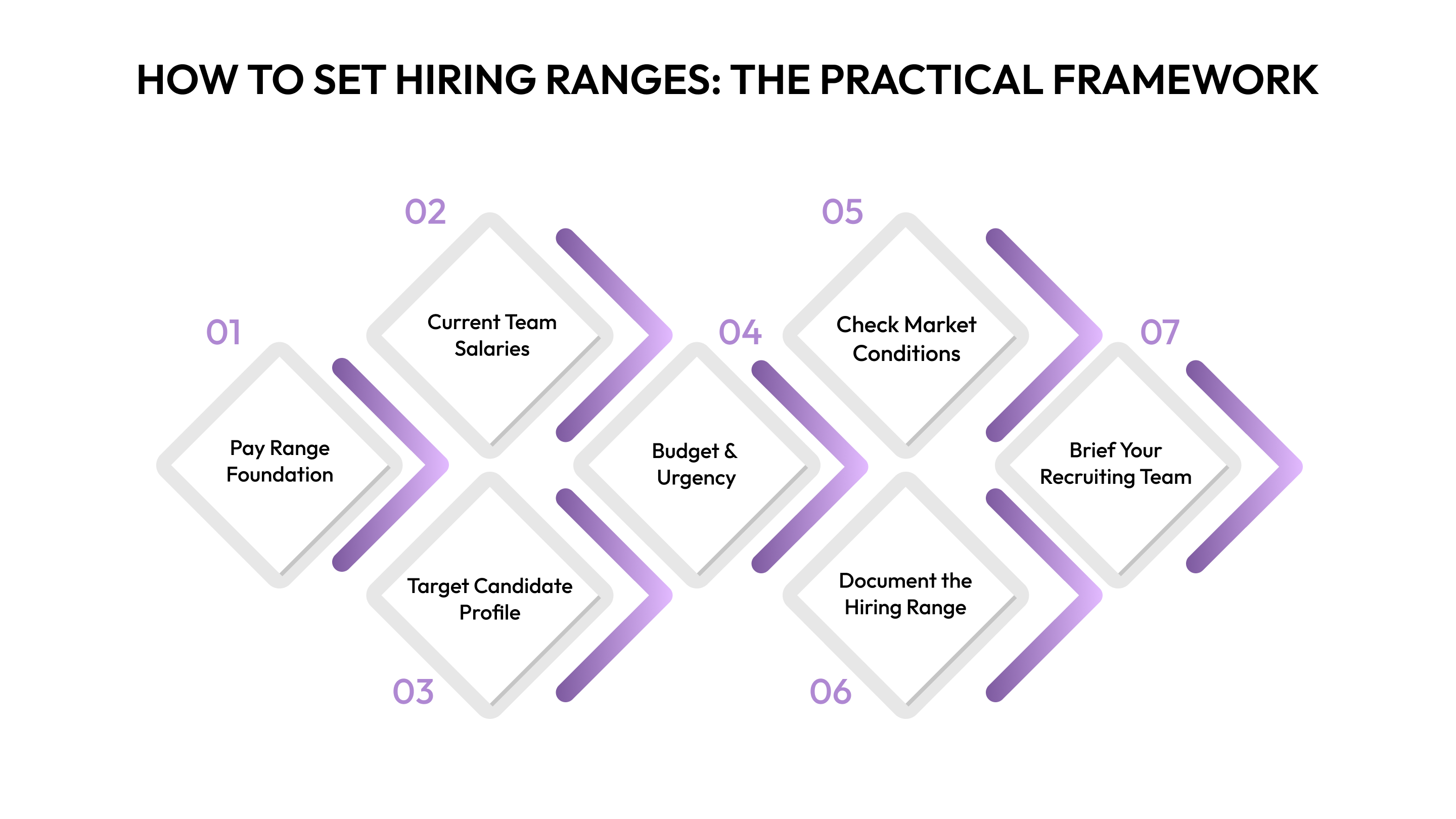
Setting hiring ranges is a team effort. People Ops, Finance, and Recruiting must work together to create a clear, effective framework. Here’s how to do it:
Step 1: Start With Your Pay Range Foundation
- Build pay ranges for each role using market data (salary surveys or benchmarking tools).
- Document the minimum, midpoint, and maximum, along with your reasoning.
- Review pay ranges annually; adjust hiring ranges quarterly to match business needs and market changes.
Step 2: Assess Current Team Salaries
- Audit current salaries for employees in this role. Check where they fall in the pay range (compa-ratio).
- For example, if your Software Engineers earn $105K, $112K, and $118K, start your hiring range at $110K to avoid compression.
- Red flag: If current employees are near the max (90% or more), you have limited room for new hires without creating equity issues.
Step 3: Determine Target Candidate Profile
- Define the experience, skills, and seniority level (junior, mid, senior).
- Entry-level candidates usually fall within the lower third of the pay range, mid-level candidates in the middle third, and senior hires in the upper third.
Step 4: Factor In Budget and Urgency
- Collaborate with Finance to set the approved budget for the requisition.
- Check if there’s room for negotiation if you find exceptional talent.
- Set the hiring range maximum at 105-110% of the approved budget to allow flexibility.
Step 5: Check Market Conditions
- Review what competitors offer for similar roles.
- If the market has shifted significantly, you may need to adjust the hiring range temporarily.
- If needed, flag this for a future pay range review.
Step 6: Set and Document the Hiring Range
- Define clear parameters:
- Target offer: Ideal pay, e.g., $115K.
- Hiring range minimum: The lowest acceptable pay, e.g., $110K.
- Hiring range maximum: The highest without approvals, e.g., $125K.
- Exception threshold: What needs additional approval, e.g., $125K-$135K.
- Document this in your requisition approval form, ATS, or shared tracking spreadsheet.
Step 7: Brief Your Recruiting Team
- Ensure recruiters understand the hiring range and its rationale (budget, equity, target profile).
- Share the approval process for exceptions.
- Example: “For this Senior Product Manager role, we have a pay range of $130K-$180K. The hiring range is $145K-$160K because: budget approved at $150K, current PMs earn $138K-$155K, targeting 5-7 years of experience, and this isn’t urgent. Offers above $160K need CFO approval.”
Key Insight: Successful teams build hiring ranges collaboratively. Finance sets the budget, People Ops ensures equity, and Recruiting brings market insights. This alignment prevents offer approval conflicts.
Even when you follow this framework, there are landmines waiting to blow up your careful planning. We've seen companies make the same mistakes over and over. Here's how to sidestep them.
Common Mistakes And How to Avoid Them
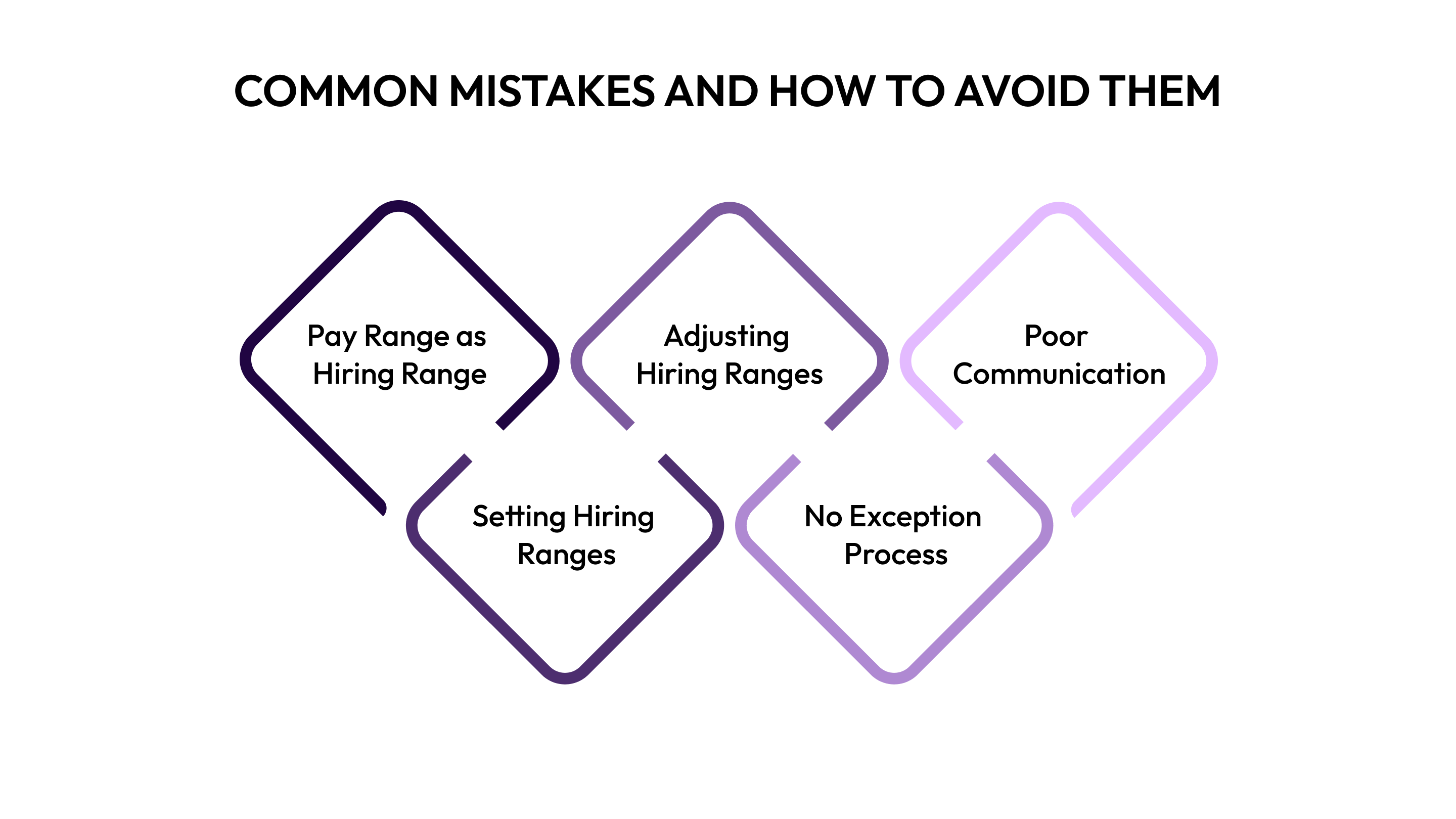
Even well-intentioned organizations can stumble when setting hiring ranges. Here are five common mistakes and how to avoid them.
1. Using Pay Range as Hiring Range
When recruiters use the full pay range for every requisition, you risk overbudget hires.
Solution: Set explicit hiring ranges for each role and make them visible in your ATS and requisition approval forms. This removes any confusion about what's authorized.
2. Setting Hiring Ranges in Isolation
If Finance approves a budget without considering current team salaries, it can lead to compression.
Solution: Always check equity before approving a requisition. Ask: "How does this hiring range compare to current team salaries?" This simple step prevents future morale issues.
3. Never Adjusting Hiring Ranges
Keeping the same hiring range for months while the market shifts can hurt your ability to compete for talent.
Solution: Review hiring ranges quarterly, even if pay ranges change only annually. This ensures you stay competitive without needing a complete compensation overhaul.
4. No Exception Process
When a candidate falls outside the hiring range, but there’s no clear approval path, you risk losing talent or going over budget.
Solution: Define exception thresholds upfront. For example, 0-10% over requires Hiring Manager approval, 10-20% needs CFO approval, and 20%+ needs CEO approval.
5. Poor Communication
If Finance and Recruiting teams aren’t on the same page, it leads to confusion and conflict.
Solution: Use a single source of truth for hiring ranges. Whether it’s an ATS, shared tracker, or integrated platform, ensure all stakeholders are on the same page.
By avoiding these common mistakes, you’ll create a smoother and more predictable hiring process.
You've got the framework. You know the pitfalls. Now let's talk about the infrastructure you need to actually execute this, because even the best strategy fails without the right systems backing it up.
Also Read: Best Candidate Tools for Effective Hiring

Tools and Workflows for Hiring and Compensation Management
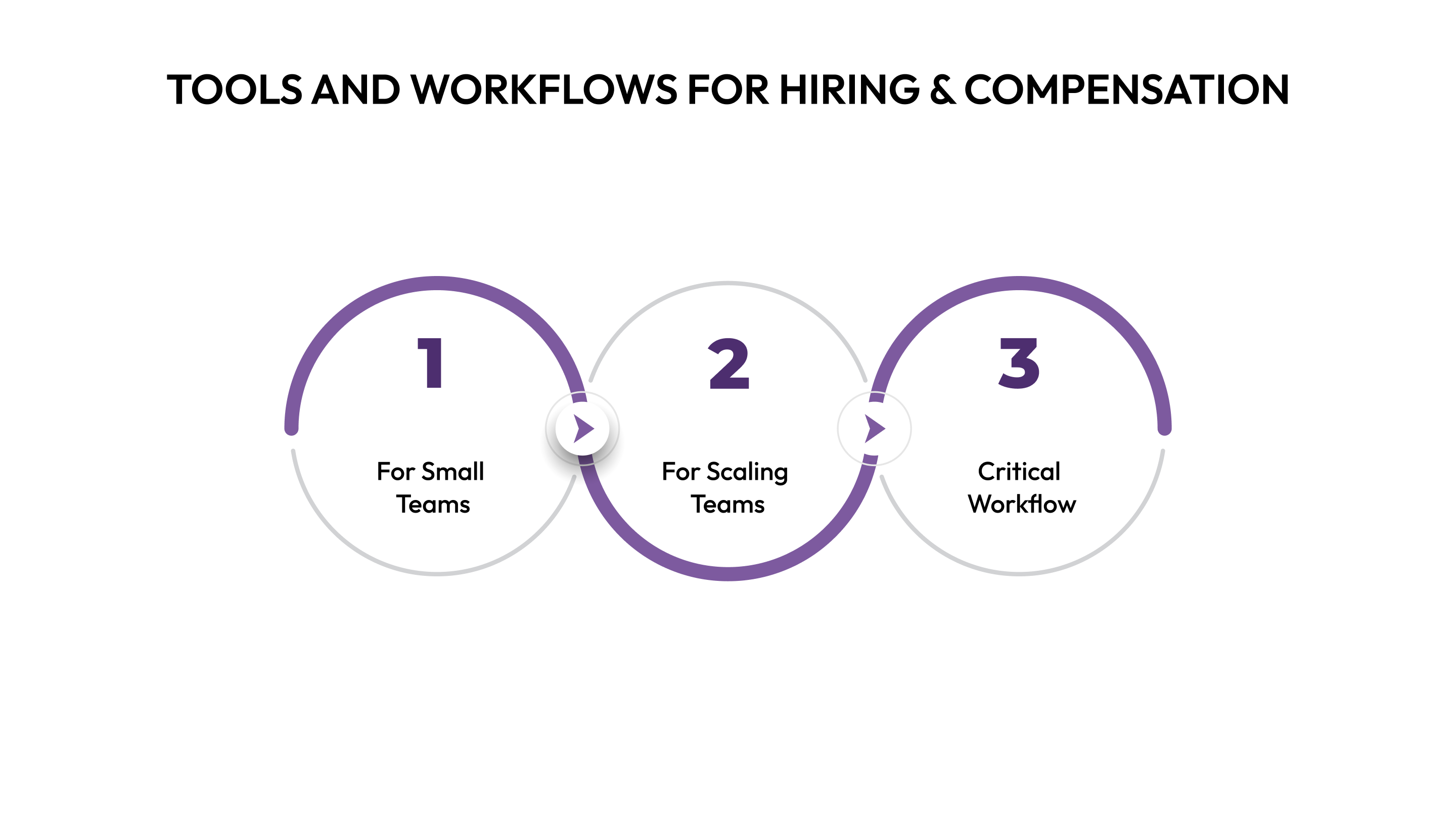
Managing hiring ranges effectively requires the right tools and workflows, tailored to your company’s size and needs.
For Small Teams (50-150 employees)
Keep it simple but systematic. Here’s how:
- Use a spreadsheet tracker to document pay ranges and requisition-specific hiring ranges.
- Create a requisition approval template that requires explicit hiring range documentation before posting a role.
- Schedule quarterly review meetings with Finance, People Ops, and Recruiting to assess trends and adjust based on market feedback.
For Scaling Teams (150-500 employees)
Manual processes won’t cut it at this stage. Invest in the right tools:
- Implement a compensation management platform that integrates with your ATS and HRIS to avoid data inconsistencies.
- Automate requisition approval workflows with built-in hiring range validation to ensure offers are within authorized ranges.
- Use real-time dashboards to monitor budget utilization vs. hiring ranges across all open roles, giving Finance and People Ops early visibility on potential budget overruns.
- Integrate headcount planning systems with a compensation platform like CandorIQ for seamless budget-to-hiring range translation.
Critical Workflow (Regardless of Size)
Follow this sequence to ensure smooth operations:
- Finance approves the headcount plan with target compensation for each role.
- People Ops checks targets against pay ranges and audits current salaries for equity.
- Recruiting gets a requisition with an explicit, documented hiring range (not just the full pay range).
- ATS either prevents offers outside the approved range or flags them for additional approval.
- Finance tracks compensation versus the budget monthly to identify any budget drift.
The Modern Solution
Integrated platforms like Candor IQ connect headcount planning, compensation management, and recruiting, eliminating manual handoffs and communication breakdowns. These systems create a single source of truth, ensuring Finance, People Ops, and Recruiting stay aligned. As you scale, this integration becomes essential for balancing budget discipline and competitiveness in the talent market.
Conclusion
Pay ranges define your compensation philosophy; hiring ranges make it actionable. Companies that distinguish between the two achieve 15-20% better budget predictability and fewer equity issues, because they're considering context before making offers, not after.
The challenge isn't setting these ranges; it's maintaining them across multiple reqs, locations, and hiring managers without drowning in spreadsheets.
If you're managing compensation across distributed teams and tired of manual workflows creating budget surprises, see how CandorIQ connects in one platform. Many teams move from reactive firefighting to proactive planning in weeks, not quarters.
Frequently Asked Questions
1. Can I negotiate outside the hiring range?
Yes, but it requires explicit approval. Most companies set exception thresholds: 5-10% over requires VP approval, 10%+ needs CFO sign-off. If you're consistently negotiating above range, it signals your hiring range is too low and needs adjustment.
2. How do hiring ranges work with commission-based roles?
For commission-heavy roles (sales, BD), establish hiring ranges for base salary separately from OTE (on-target earnings). Your base hiring range might be narrow ($80K-$90K) while total OTE has a wider variance ($150K-$200K) depending on territory, quota, and ramp time.
3. How often should hiring ranges be updated?
Review quarterly, especially in competitive markets or high-growth periods. While pay ranges might only change annually during comp reviews, hiring ranges should flex with market conditions, budget cycles, and team composition changes. Document review dates when setting ranges.
4. How do you handle hiring ranges when acquiring a company?
Acquisitions create immediate compression risks. Map acquired employees to your pay ranges first, identify gaps, then set hiring ranges that account for both legacy teams. Often requires a transition period where you run parallel structures before full integration. Consider retention adjustments before opening new reqs.
5. Can the same role have different hiring ranges in different departments?
Generally, no same role, same range to maintain internal equity. However, you might adjust if: (1) departments have different budget constraints, (2) one role requires specialized skills, or (3) you use location-based pay. Document any differences clearly to avoid discrimination claims and employee dissatisfaction.
6. What if you can't fill the role within the hiring range?
After 60-90 days of unsuccessful hiring, reassess: Is the range truly too low (market moved), or is recruiting execution weak (sourcing, positioning)? If market-driven, either increase the hiring range and flag for comp review, adjust role requirements to justify lower pay, or delay hiring until budgets allow competitive offers.
7. What happens if you hire someone below the hiring range minimum?
This signals either: (1) candidate undervalued themselves (ethical concern), (2) role requirements were overstated (adjust the range), or (3) candidate doesn't actually meet requirements (hiring mistake). Unless there's a legitimate reason (unique circumstance, different role scope), avoid going below minimum—it creates future compression and retention issues.
Ready to modernize your workforce and compensation strategy?
See how CandorIQ brings workforce planning and compensation together with AI.